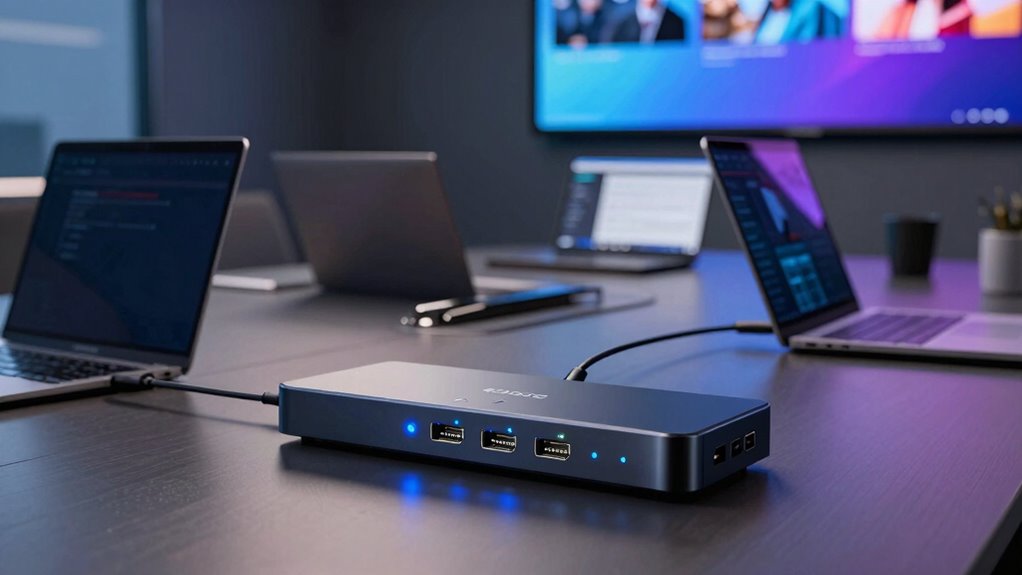

Choosing an HDMI USB switcher for a BYOD meeting room means matching the room’s signal path to the way people actually bring devices into meetings. The Boom ARC 4K is my pick for rooms that need dual-host video routing and shared USB peripherals; the Toggle by INOGENI suits teams whose main challenge is sharing USB conferencing gear between hosts. For a more basic HDMI-and-USB switching brief, the Toggle Rooms switcher may fit, though its published specifications leave more unanswered questions.

Get business pricing on networking and server gear
- Business-only prices and quantity discounts
- Tax-exempt purchasing
- Multiple users, one account, clear invoices
The main tradeoff is breadth versus simplicity. The Boom ARC lists HDMI and USB-C host inputs, multiple routing modes, and control options, but brings more setup complexity and a dedicated power supply. The INOGENI Toggle has clearer USB-device and host counts, yet it does not establish HDMI video switching. I rank these by how much of a BYOD room workflow each option can handle based on the supplied information—not by assuming that similarly named products do the same job.
Key Takeaways
- The Boom ARC is the clearest fit when a room needs 4K video routing, USB-C and HDMI inputs, and shared peripherals across two hosts.
- The INOGENI Toggle is specifically a USB peripheral switcher: it connects up to three USB devices to two hosts, but its listed specifications do not describe HDMI video routing.
- The Toggle Rooms product is described as switching USB 3.0 and HDMI between PCs, but its input/output counts and detailed compatibility information are not provided.
- Check whether laptops connect by HDMI, USB-C, or both before choosing; the listed connection types differ substantially across these three options.
- All three have setup or scope tradeoffs: Boom ARC is more involved, INOGENI needs external power and possible control configuration, and Toggle Rooms has the sparsest published detail.
| Boom ARC 4K BYOD Video Conferencing Switcher, 4×2 Matrix with Dual HDMI & USB-C, KVM Sharing, Auto & Manual Switching, RS232/TCP-IP Control, 100W Adapter |  | Best Overall for HDMI-and-USB BYOD Routing | Inputs: 2 HDMI, 2 USB-C | Video: 4K output support stated | Modes: Auto, manual, conference, mirror, matrix | VIEW ON AMAZON | See Our Full Breakdown |
| Toggle by INOGENI Video Conference USB Switcher (BYOD/BYOM), Supports Up to 3 Devices |  | Best for Sharing USB Conference Peripherals | USB device ports: 3 USB 3.0 device connections | Host connections: 2 | USB compatibility: USB 2.0 and USB 3.0 | VIEW ON AMAZON | See Our Full Breakdown |
| Toggle Rooms USB 3.0/HDMI Devices to PCs Switcher |  | Best for a Basic HDMI-and-USB Switching Brief | Stated signal types: USB 3.0 and HDMI | Compatible devices: Laptop, personal computer | Connector type listed: HDMI | VIEW ON AMAZON | See Our Full Breakdown |
| hdmiusb switcher for byod meeting room | Power | Warranty |
|---|---|---|
| Boom ARC 4K BYOD Video Confere | 100W power supply included | — |
| Toggle by INOGENI Video Confer | External 12V/1.2A DC supply; 120–240 VAC input | 2 years standard; 5 years for end users after August 1, 2024, as listed |
| Toggle Rooms USB 3.0/HDMI Devi | — | 1 year manufacturer |
More Details on Our Top Picks
Boom ARC 4K BYOD Video Conferencing Switcher, 4×2 Matrix with Dual HDMI & USB-C, KVM Sharing, Auto & Manual Switching, RS232/TCP-IP Control, 100W Adapter
The Boom ARC earns my top position because it is the only option here described as a fuller BYOD video conferencing switcher, rather than primarily a USB peripheral selector. Its listed connections include two HDMI and two USB-C inputs, and its 4K output support speaks directly to rooms where participants share presentations on a high-resolution display. USB peripheral sharing is also part of the stated feature set, which can let the selected host use room devices such as cameras or touchscreens.
Compared with the INOGENI Toggle, the Boom ARC appears to cover more of the video-routing brief: the INOGENI lists USB device ports and host connections, but does not specify HDMI video switching. Compared with the Toggle Rooms unit, Boom ARC has more explicit information about input counts and operating modes. Auto, manual, conference, mirror, and matrix modes offer room planners more ways to shape switching behavior, although those choices also raise the learning curve for setup and support.
The tradeoff is that this is not the simplest box to drop into a small room. It requires its 100W power supply, and the supplied description warns that configuration may challenge non-technical users. Its IP20 rating also makes it a poor fit for harsh environments. I would shortlist it when the room needs documented video routing plus shared peripherals, but I would confirm the precise matrix behavior, supported USB-C laptop modes, and display outputs before purchase. Those details matter more than the broad 4K label when a room has a fixed cabling plan.
Pros:- Lists HDMI and USB-C inputs for different laptop connection habits.
- Supports 4K video output and USB peripheral sharing.
- Offers auto and manual switching alongside several room-oriented modes.
- Includes RS232 and TCP-IP control options for managed AV setups.
Cons:- Requires the included 100W external power supply.
- Its multiple modes and control options may need technical configuration.
- IP20 protection is not suited to harsh environments.
Best for: Teams equipping a BYOD room that needs HDMI and USB-C host connections, stated 4K video support, and shared conferencing peripherals.
Not ideal for: Buyers seeking a simple USB-only selector, rooms with harsh installation conditions, or teams that cannot confirm the matrix and laptop compatibility details.
- Inputs:2 HDMI, 2 USB-C
- Video:4K output support stated
- Modes:Auto, manual, conference, mirror, matrix
- Control:RS232 and TCP-IP
- Peripheral sharing:USB sharing stated; cameras and touchscreens named
- Power:100W power supply included
- Mounting:Tabletop
- Dimensions and weight:12 x 7 x 3.5 inches; 3.8 lb
Our verdict“I rank the Boom ARC first for rooms that need the broadest documented mix of BYOD video routing and shared USB equipment, provided the team can handle configuration.”
Toggle by INOGENI Video Conference USB Switcher (BYOD/BYOM), Supports Up to 3 Devices
The INOGENI Toggle is the most clearly specified choice for a narrower but common meeting-room problem: sharing USB equipment between two host computers. It supports up to three USB 3.0 devices and two hosts, with compatibility listed for USB 2.0 and 3.0 and Windows, Mac, and Linux. That makes it a sensible candidate when the room already has a separate video path and needs a way to move a camera, speakerphone, or other USB device between a room system and a visiting laptop.
Its role is different from the Boom ARC’s. Boom ARC is the stronger documented match for a combined HDMI/USB video-routing workflow, while this Toggle focuses on USB switching and remote control. The supplied information does not list HDMI inputs or video output, so I would not choose it alone to route a laptop’s picture to the room display. Against Toggle Rooms, the INOGENI has more explicit host and USB port counts, plus named operating-system compatibility; Toggle Rooms is described as switching HDMI and USB, but gives fewer connection details.
Automatic switching and RS-232 or GPI control can suit a managed room, and plug-and-play operation without driver installation may reduce laptop-side setup. Those benefits do not remove the need to plan control behavior: remote options may require configuration, and the unit needs an external power supply. Its three-device limit also sets a firm boundary. If a room expects to share several cameras, audio devices, and touch controllers at once, I would verify the required USB topology before selecting it.
Pros:- Defines a two-host, three-USB-device configuration.
- Lists compatibility with USB 2.0 and 3.0 and Windows, Mac, and Linux.
- Plug-and-play operation is stated, with no driver installation required.
- Supports automatic switching and RS-232 or GPI remote control.
Cons:- The supplied specifications do not describe HDMI video routing.
- Requires an external power supply.
- Remote control may take additional configuration.
Best for: Organizations with an existing display-switching system that need to share up to three USB conferencing devices between two hosts.
Not ideal for: Buyers who need one unit to switch HDMI video and USB peripherals together, or rooms with more than three USB devices to share.
- USB device ports:3 USB 3.0 device connections
- Host connections:2
- USB compatibility:USB 2.0 and USB 3.0
- Operating systems:Windows, Mac OS X, Linux
- Switching:Automatic and remote switching stated
- Remote control:RS-232 or GPI
- Power:External 12V/1.2A DC supply; 120–240 VAC input
- Warranty:2 years standard; 5 years for end users after August 1, 2024, as listed
Our verdict“I recommend the INOGENI Toggle when USB peripherals are the switching problem and video is already handled elsewhere.”
Toggle Rooms USB 3.0/HDMI Devices to PCs Switcher
The Toggle Rooms switcher is the most compact-sounding, least fully documented option in this group. Its description says it can switch USB 3.0 and HDMI inputs between PCs, a combination that could appeal to a smaller BYOD room where the goal is to connect a laptop to shared room equipment without the extra routing modes of the Boom ARC. A compact, durable build is also stated, which may make placement easier where table or cabinet space is tight.
Its position below the two INOGENI-branded options reflects the limits of the available details, not a claim that it cannot work. Boom ARC specifies input counts, 4K output, peripheral sharing, and control modes; Toggle Rooms supplies none of those particulars. The INOGENI Toggle, by contrast, spells out its two hosts and three USB devices, although it does not establish HDMI switching. That means Toggle Rooms sounds closer to the combined HDMI/USB idea, but leaves buyers with more unanswered questions about how the connection arrangement works.
I would ask the manufacturer to confirm the number of hosts, the number and type of HDMI connections, supported resolutions, USB peripheral behavior, and switching method before specifying this product for a meeting room. The provided specs name HDMI as a connector type and list laptops and PCs as compatible devices, but do not map ports to inputs and outputs. That uncertainty is the main drawback for a shared room, where an unclear signal path can create avoidable setup problems. Its one-year manufacturer warranty is also shorter than the warranty information listed for the INOGENI Toggle.
Pros:- Description covers both USB 3.0 and HDMI switching.
- Compact and durable construction is stated.
- Laptop and personal computer compatibility is listed.
- Manufacturer warranty is specified as one year.
Cons:- No input or output counts are supplied.
- No resolution, switching-mode, or control details are specified.
- Compatibility information does not explain all device types or connection arrangements.
Best for: A buyer exploring a compact switcher for a small setup who can verify port layout and compatibility with the manufacturer before installation.
Not ideal for: Room planners who need published port counts, defined 4K support, remote-control details, or a well-documented multi-host configuration.
- Stated signal types:USB 3.0 and HDMI
- Compatible devices:Laptop, personal computer
- Connector type listed:HDMI
- USB standard:USB 3.0 stated in product description
- Build:Compact, durable design stated
- Manufacturer:INOGENI
- Warranty:1 year manufacturer
- Port counts and resolution:Not specified in supplied details
Our verdict“I would consider Toggle Rooms only after confirming its exact HDMI and USB topology, since its combined purpose is promising but its published details are sparse.”

How We Picked
I ranked these options by how clearly their stated features address the needs of a bring-your-own-device meeting room: connecting a visitor’s laptop, routing the needed video, and making room peripherals available to the active host. I gave more weight to defined host and device connections, switching modes, control methods, and stated video support than to broad claims such as professional performance.
That approach separates products that could otherwise look interchangeable by name. The Boom ARC provides the strongest documented combination of HDMI, USB-C, 4K output, and USB peripheral sharing, so it leads for a fuller AV workflow. The INOGENI Toggle has clearer USB host-sharing details and operating-system compatibility, but it is not documented here as an HDMI video switcher. The Toggle Rooms is described as handling both USB 3.0 and HDMI, yet lacks port counts and specific switching details. I have treated missing information as uncertainty rather than filling gaps with assumptions.
I also weighed practical costs that affect room planning, including external power, configuration demands, installation setting, and the limits described in the supplied product information. No pick should be treated as universally compatible: a buyer should confirm exact laptop connections, display routing, peripheral behavior, and control needs with the manufacturer before specifying a room.
Factors to Consider When Choosing Hdmiusb Switcher For Byod Meeting Rooms
Before I choose a BYOD switcher, I map the room’s actual connections from laptop to display and conferencing equipment. Product names can blur video switching and USB peripheral switching, but those are separate jobs unless a model explicitly documents both.Decide whether video, USB, or both must switch
Start by listing what needs to move when a guest takes control: the laptop image on the room display, access to a camera or microphone, or both. HDMI video routing and USB device sharing are distinct functions. The Boom ARC describes both video inputs and USB peripheral sharing. The INOGENI Toggle clearly describes USB sharing but does not list HDMI video routing. Toggle Rooms mentions both HDMI and USB, though its supplied details do not explain the exact routing arrangement.
If your display already has a separate switcher, a USB-focused device may be enough. If a single unit must coordinate laptop video and room peripherals, prioritize models with documented signal paths and confirm how the selected host controls each output.
Match host connections to the laptops people bring
Check whether users connect through HDMI, USB-C, or a mixture. Boom ARC lists both HDMI and USB-C inputs, which may accommodate varied laptop setups, but buyers should confirm the required USB-C video and data behavior for their devices. Toggle Rooms lists HDMI as a connector and refers to USB 3.0, but does not provide a full port map. The INOGENI Toggle gives a clear USB host count, not a stated HDMI connection.
Do not infer that USB-C automatically carries every signal a room needs. Ask about video compatibility, charging, and USB peripheral access separately, then compare the answers with your laptop fleet and cabling plan.
Count shared peripherals and hosts
Write down the number of hosts and room devices that need to be shared, including cameras, microphones, speakerphones, and touchscreens. The INOGENI Toggle specifies two hosts and three USB devices, making its capacity easy to compare with a small room inventory. Boom ARC lists USB sharing but the supplied details do not give a device count. Toggle Rooms does not state port counts.
Leave room for the actual devices, not just the ones installed today. Confirm whether hubs are supported and whether a device’s bandwidth or power demand changes the usable configuration; the supplied descriptions do not settle those questions.
Choose switching and control behavior
Automatic switching can reduce the number of steps a visitor needs to take, while manual selection can make room behavior more predictable when several laptops remain connected. Boom ARC lists both auto and manual modes, as well as conference, mirror, and matrix modes. INOGENI lists automatic and remote switching through RS-232 or GPI. Toggle Rooms does not specify a switching method.
For a managed room, verify how the switcher connects to the control system and who will configure it. More modes create flexibility, but they can also add commissioning and support work. A simple room may be better served by fewer, clearly understood choices.
Plan power, installation, and support
All three choices have practical deployment questions. Boom ARC includes a 100W adapter and is described as tabletop-mounted; its IP20 rating rules out harsh settings. INOGENI requires an external supply, with a listed 12V/1.2A DC output. Toggle Rooms is described as compact, but the supplied specifications do not state its power needs or mounting method.
Before installation, confirm power access, ventilation, cable lengths, and where users will reach the switch. Also check warranty and support terms: the provided information lists one year for Toggle Rooms and standard two-year coverage for INOGENI, with a longer end-user warranty condition stated for qualifying units. Confirm current coverage with the manufacturer.
Treat missing specifications as questions, not promises
In this comparison, the gaps are especially relevant for Toggle Rooms and for the exact matrix behavior of Boom ARC. Ask for a port diagram, supported resolutions and refresh rates, USB bandwidth limits, operating-system requirements, and a clear account of what happens when users connect or disconnect. These details determine whether a switcher fits a room’s actual workflow.
For a purchase specification, record the answers in writing and match them to the room’s display, conferencing platform, and laptop mix. A feature label alone does not show whether the connections will work together as the room expects.
Frequently Asked Questions
Which option is the closest match for switching both HDMI video and USB devices?
Based on the supplied descriptions, the Boom ARC is the strongest documented match because it lists HDMI and USB-C inputs, 4K output support, and USB peripheral sharing. Toggle Rooms also describes switching USB 3.0 and HDMI, but its port counts, output arrangement, and video details are not provided. I would ask the manufacturer to confirm the exact signal path for either product before using it as the room’s only switcher.
Can the INOGENI Toggle send a laptop’s HDMI picture to a room display?
The provided specifications for the INOGENI Toggle describe USB device switching between two hosts, not HDMI video routing. I would treat it as a USB peripheral-sharing device unless the manufacturer confirms otherwise for the exact configuration. It may suit a room that already has a separate video switcher, but it should not be selected as the sole display-routing solution based only on the details available here.
Is USB-C input the same as USB peripheral sharing?
No. USB-C describes a connector and can carry different kinds of signals depending on the laptop and switcher, while USB peripheral sharing refers to making devices such as cameras or microphones available to a selected host. Boom ARC lists USB-C inputs and USB peripheral sharing as separate features. I would confirm video support, data behavior, and peripheral access individually rather than treating one USB-C connection as proof of all three.
Which switcher is easiest to specify for a small room?
The INOGENI Toggle is the easiest to size for a USB-only sharing task because its supplied information states two hosts and three USB device ports. That does not make it a complete video switcher. Toggle Rooms sounds simpler and compact, but lacks port counts and switching details; Boom ARC has more functionality but more modes and setup demands. The easiest fit depends on whether the room needs USB sharing alone or coordinated video and USB routing.
What should I confirm before ordering a BYOD switcher?
Confirm host and output counts, supported resolution and refresh rate, USB device capacity, laptop connection requirements, power needs, switching behavior, and control-system compatibility. Also ask whether the unit supports the exact cameras and touchscreens in the room and whether USB-C carries the signals you expect. Those checks are particularly important for Toggle Rooms, where the available product details do not specify its port layout, and for any installation where a switcher must handle both display video and peripherals.
Conclusion
For a room that needs documented HDMI and USB-C video connections plus shared conferencing peripherals, I would start with the Boom ARC, accepting its external power and configuration demands. If the display path is already solved and the main need is to share USB equipment between two hosts, the INOGENI Toggle is the more focused choice, with its three-device limit to keep in mind. For a compact setup where a combined HDMI-and-USB switcher sounds right, Toggle Rooms is worth investigating only after the manufacturer confirms its port layout, resolution support, and switching behavior. The best fit is the one whose verified connections match the room—not simply the one with the broadest feature list.
Fall Picks
fall essentials
As an affiliate, we earn on qualifying purchases.