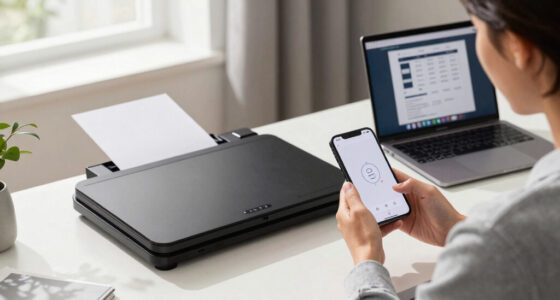
Finding the right network printer for a workgroup involves balancing speed, reliability, cost, and ease of use. The HP LaserJet Pro MFP 3101sdw stands out as the best overall choice for its versatility and robust features. For those prioritizing high-volume printing, the Brother HL-L6310DW offers impressive speed and network capabilities, while the HP LaserJet Enterprise 6501DN is ideal for large, demanding teams. Each option presents tradeoffs between upfront costs, ongoing maintenance, and feature sets. Continue reading for a detailed breakdown to help identify the best fit for your workgroup needs.

Get business pricing on networking and server gear
- Business-only prices and quantity discounts
- Tax-exempt purchasing
- Multiple users, one account, clear invoices
Key Takeaways
- The top printers combine high speed with reliable network connectivity to support busy workgroups effectively.
- Cost of ownership, including supplies and maintenance, varies widely and impacts long-term value.
- Ease of use and setup are critical, especially for teams without dedicated IT support.
- Higher-end models tend to offer advanced security features, which are important for sensitive business environments.
- The best value options balance affordability with sufficient performance, avoiding unnecessary extras.
| HP LaserJet Pro MFP 3101sdw Wireless Black and White All-in-One Laser Printer |  | Best Overall for Small Teams | Print Speed: up to 35 ppm | Print Technology: Laser | Color: Black and White | VIEW ON AMAZON | See Our Full Breakdown |
| Brother HL-L6310DW Enterprise Monochrome Laser Printer with Wireless Networking |  | Best for High-Volume Workgroups | Print Speed: 52 ppm | Paper Capacity: 520 sheets (expandable to 1,660) | Included Toner: 6,000 pages | VIEW ON AMAZON | See Our Full Breakdown |
| HP LaserJet Enterprise 6501DN Black and White Printer |  | Best for High-Speed, Large-Volume Printing | Print Speed: up to 57 ppm | Input Tray Capacity: 550 sheets | Multipurpose Feeder: 100 sheets | VIEW ON AMAZON | See Our Full Breakdown |
| HP LaserJet Pro 4001dn Black & White Printer |  | Best for Small Teams with Fast, Secure Printing | Print Speed: Up to 42 pages per minute | Connectivity: Ethernet, USB | Auto Duplex: Yes | VIEW ON AMAZON | See Our Full Breakdown |
| HP Monochrome LaserJet Enterprise M605x Printer (Renewed) |  | Best for High-Volume, Enterprise-Grade Printing | Print Speed: 65 PPM | Print Resolution: 1200 x 1200 dpi | Maximum Print Size: 8.5 x 14 inches | VIEW ON AMAZON | See Our Full Breakdown |
| HP LaserJet Pro 3001dw Wireless Black & White Printer |  | Best Overall for Small Teams | Print Speed: Up to 35 pages per minute | Connectivity: Wi-Fi, Ethernet, Bluetooth | Auto Duplex: Yes | VIEW ON AMAZON | See Our Full Breakdown |
| HP LaserJet Enterprise M506n Laser Printer with Built-in Ethernet (Renewed) |  | Best for Business Environments with Wired Networks | Model: M506n | Connectivity: Ethernet | Type: Laser Printer | VIEW ON AMAZON | See Our Full Breakdown |
| KYOCERA ECOSYS PA4500x Monochrome Laser Printer, 47 ppm |  | Best for High-Volume Heavy Duty Printing | Print Speed: 47 pages per minute | Resolution: 1200 dpi | Control Panel: 5 Line LCD with Hard Key | VIEW ON AMAZON | See Our Full Breakdown |
| HP LaserJet Enterprise M406dn Monochrome Printer with Ethernet & Duplex Printing |  | Best for Secure, Efficient Business Printing | Printer Type: Laser | Print Speed: 42 pages per minute | Automatic Duplex: Yes | VIEW ON AMAZON | See Our Full Breakdown |
| Brother MFC-L6810DW Enterprise Monochrome Laser All-in-One Printer |  | Best for Mid to Large Workgroups with Multifunction Needs | Print Speed: Up to 52 ppm | Scan Speed: Up to 200 ipm | Paper Capacity: 520 sheets (expandable to 1,660) | VIEW ON AMAZON | See Our Full Breakdown |
| network printer for workgroup | Print Speed | Connectivity |
|---|---|---|
| HP LaserJet Pro MFP 3101sdw Wi | up to 35 ppm | — |
| Brother HL-L6310DW Enterprise | 52 ppm | Wireless, NFC |
| HP LaserJet Enterprise 6501DN | up to 57 ppm | USB 3.0, USB 2.0, Ethernet |
| HP LaserJet Pro 4001dn Black & | Up to 42 pages per minute | Ethernet, USB |
| HP Monochrome LaserJet Enterpr | 65 PPM | USB 2.0, Ethernet |
| HP LaserJet Pro 3001dw Wireles | Up to 35 pages per minute | Wi-Fi, Ethernet, Bluetooth |
| HP LaserJet Enterprise M506n L | Up to 42 pages per minute | Ethernet |
| KYOCERA ECOSYS PA4500x Monochr | 47 pages per minute | — |
| HP LaserJet Enterprise M406dn | 42 pages per minute | — |
| Brother MFC-L6810DW Enterprise | Up to 52 ppm | — |
More Details on Our Top Picks
HP LaserJet Pro MFP 3101sdw Wireless Black and White All-in-One Laser Printer
The HP LaserJet Pro MFP 3101sdw stands out as the most versatile choice for small workgroups needing reliable, all-in-one functionality. Its fast print speed of 35 ppm and automatic duplexing make it well-suited for daily document workflows, especially compared to the HP LaserJet Pro 4001dn, which lacks wireless. While it’s limited to black-and-white output and uses proprietary cartridges, its wireless connectivity and scanning capabilities add convenience for team collaboration. The main tradeoff is its lack of color printing or advanced features, making it less suitable for offices requiring color. Overall, this model offers a balanced mix of speed, convenience, and affordability for small teams prioritizing straightforward printing tasks.
Pros:- Fast printing speed of up to 35 ppm
- Automatic duplex printing saves paper
- Reliable wireless connectivity
- All-in-one functionality including scan and copy
Cons:- Limited to black-and-white printing
- Uses proprietary HP cartridges
- No support for color or advanced features
Best for: Small offices or teams needing reliable, all-in-one monochrome printing with wireless access
Not ideal for: Offices needing color printing or advanced document management features
- Print Speed:up to 35 ppm
- Print Technology:Laser
- Color:Black and White
- Auto Duplex:Yes
- Input Tray Capacity:250 sheets
- Auto Document Feeder:50 sheets
Our verdict“Ideal for small teams seeking a dependable, wireless monochrome all-in-one printer with fast speeds.”
Brother HL-L6310DW Enterprise Monochrome Laser Printer with Wireless Networking
The Brother HL-L6310DW is designed for larger teams that need high-speed, high-capacity printing with top-tier security. Its impressive speed of 52 ppm outpaces most competitors, like the HP LaserJet Enterprise 6501DN, which is faster but without wireless. Its large, expandable paper capacity reduces downtime, making it a strong choice for busy environments. However, its size and cost may be prohibitive for small offices or personal use, and additional trays or accessories will add to the expense. Compared to smaller models, this printer prioritizes throughput and security, making it perfect for mid-to-large organizations with demanding print needs.
Pros:- High printing speed of 52 ppm
- Large, expandable paper capacity
- Enterprise-level security features
- Wireless and NFC connectivity
Cons:- Expensive for small businesses or home offices
- Bulkier size requiring ample space
- Additional trays and accessories increase costs
Best for: Mid to large-sized workgroups needing high speed, security, and large paper capacity
Not ideal for: Small offices or users with limited space and budget constraints
- Print Speed:52 ppm
- Paper Capacity:520 sheets (expandable to 1,660)
- Included Toner:6,000 pages
- Connectivity:Wireless, NFC
- Security Features:Triple Layer Security, NFC card reader
- Auto Duplex:Not specified
Our verdict“Best suited for large, security-conscious workgroups with high-volume printing demands.”
HP LaserJet Enterprise 6501DN Black and White Printer
The HP LaserJet Enterprise 6501DN delivers exceptional speed with 57 ppm, making it a prime choice for high-volume environments. Its large 550-sheet input tray and 100-sheet multipurpose feeder support extensive workloads, surpassing models like the HP LaserJet Pro 3101sdw, which is slower and less suited for heavy-duty tasks. However, its limited to monochrome and lacks wireless connectivity, which could be a drawback for teams needing mobile or wireless printing. Its sizeable footprint also requires ample space. This printer excels where speed and volume are priorities, though it’s less adaptable for offices needing wireless access or color output.
Pros:- Fastest print speed of 57 ppm
- Large input capacity of 550 sheets
- Multiple connectivity options including Ethernet and USB
- High-duty cycle for demanding workloads
Cons:- Limited to monochrome printing
- No wireless or mobile printing support
- Potentially large footprint for small offices
Best for: High-volume, monochrome printing in large office settings
Not ideal for: Small teams or offices that require wireless or color printing
- Print Speed:up to 57 ppm
- Input Tray Capacity:550 sheets
- Multipurpose Feeder:100 sheets
- Connectivity:USB 3.0, USB 2.0, Ethernet
- Hardware Integration Pocket:HIP2
- Color:Black and White
Our verdict“Ideal for high-volume monochrome printing environments prioritizing speed and capacity over wireless features.”
HP LaserJet Pro 4001dn Black & White Printer
The HP LaserJet Pro 4001dn is tailored for small teams that need quick, reliable printing with security features. Its 42 ppm speed is sufficient for typical office workflows, and auto duplexing reduces paper use. Unlike the HP LaserJet Enterprise M605x, which offers more advanced features, this model keeps things straightforward with Ethernet and USB connectivity, lacking wireless support. Its security features, including HP Wolf Pro Security, guard sensitive data effectively. However, its lack of wireless printing limits flexibility, and it supports only Ethernet or USB connections, which could be restrictive for some users. This printer strikes a balance between speed, security, and simplicity for small office environments.
Pros:- Fast printing speeds up to 42 ppm
- Secure printing with advanced security features
- Supports mobile printing from multiple platforms
- Auto duplex printing for efficiency
Cons:- No wireless connectivity
- Limited to Ethernet and USB connections
- Requires original HP cartridges with chips
Best for: Small teams needing fast, secure, Ethernet-connected monochrome printing
Not ideal for: Offices requiring wireless or mobile printing capabilities
- Print Speed:Up to 42 pages per minute
- Connectivity:Ethernet, USB
- Auto Duplex:Yes
- Supported Devices:Microsoft, Mac, AirPrint, Android, Chromebook
- Security:HP Wolf Pro Security
- Color:Black and White
Our verdict“Perfect for small teams prioritizing speed and security over wireless flexibility.”
HP Monochrome LaserJet Enterprise M605x Printer (Renewed)
The HP LaserJet Enterprise M605x is a robust option for organizations with demanding print needs, offering a rapid 65 ppm and a 4.3-inch touchscreen for easy management. Its large 1100-sheet input capacity and 225,000 pages monthly duty cycle make it ideal for high-volume environments, outperforming models like the HP LaserJet Enterprise 6501DN in speed and capacity. As a renewed device, it offers significant savings but may show some cosmetic wear, and its 90-day warranty limits long-term peace of mind. The absence of wireless and color options narrows its appeal for offices needing flexible, mobile, or color printing. This model fits well in enterprise settings where throughput and durability are critical.
Pros:- High print speed of 65 pages per minute
- Massive input capacity of 1100 sheets
- Supports wireless and mobile printing
- Certified refurbished with warranty
Cons:- Limited warranty period of 90 days
- Potential cosmetic imperfections due to refurbishment
- No color printing or wireless connectivity
Best for: Large enterprises with high-volume, monochrome printing needs
Not ideal for: Small offices or users requiring wireless or color features
- Print Speed:65 PPM
- Print Resolution:1200 x 1200 dpi
- Maximum Print Size:8.5 x 14 inches
- Input Capacity:1100 sheets
- Monthly Duty Cycle:225,000 pages
- Connectivity:USB 2.0, Ethernet
Our verdict“Designed for high-volume enterprise environments where speed, capacity, and durability matter most.”
HP LaserJet Pro 3001dw Wireless Black & White Printer
The HP LaserJet Pro 3001dw stands out as the most versatile option for small office groups needing reliable monochrome printing. Its fast speed of up to 35 pages per minute and support for multiple wireless protocols make it ideal for dynamic work environments. Unlike the KYOCERA ECOSYS PA4500x, which excels in high-volume throughput, this model offers greater connectivity flexibility, including Bluetooth, making it easier to print from various devices. However, its reliance on original HP cartridges and monochrome-only output limit its appeal for offices needing color or more economical toner options. The auto duplex feature reduces paper waste, and security features like HP Wolf Pro Security add peace of mind. Still, firmware updates for security are often necessary, and compatibility is limited to HP’s chips on cartridges.Pros:- Fast printing speeds of up to 35 pages per minute
- Wireless connectivity supports multiple devices including AirPrint and Chromebook
- Auto duplex printing reduces paper usage
- Secure printing with HP Wolf Pro Security
Cons:- Only compatible with original HP cartridges with chips
- Designed primarily for monochrome printing
- Firmware updates may be needed for security features
Best for: Small teams seeking a reliable, fast, and wireless monochrome printer with security features.
Not ideal for: Offices requiring color printing or larger, high-capacity printers for very high-volume workloads.
- Print Speed:Up to 35 pages per minute
- Connectivity:Wi-Fi, Ethernet, Bluetooth
- Auto Duplex:Yes
- Intended Use:Small teams (up to 7 people)
- Compatibility:Microsoft, Mac, AirPrint, Android, Chromebook
Our verdict“This printer suits small teams needing reliable, secure monochrome printing with flexible wireless options.”
HP LaserJet Enterprise M506n Laser Printer with Built-in Ethernet (Renewed)
The HP LaserJet Enterprise M506n is tailored for organizations prioritizing fast, dependable network printing over wireless flexibility. Its high-speed output matches the demands of busy offices, and the built-in Ethernet ensures seamless integration into existing wired network setups. Compared with the Brother MFC-L6810DW, which offers multifunctionality, the M506n focuses on straightforward printing with enhanced security. The absence of wireless connectivity limits its versatility for mobile or remote work, but this often results in more stable network performance. Being a renewed product, it offers a cost-effective choice for budget-conscious businesses, though it might have limited warranty coverage. Its reliability makes it a solid choice where wired network performance is paramount.Pros:- High-speed printing suitable for busy environments
- Built-in Ethernet for reliable wired network access
- Strong security features including firmware monitoring
- Simple, straightforward operation for office use
Cons:- No wireless support, limiting device flexibility
- Renewed status may impact warranty and reliability
- Lacks multifunction features like scanning or copying
Best for: Large offices that rely on wired network connections and need high-volume, secure monochrome printing.
Not ideal for: Workgroups that require wireless printing or multifunction capabilities like scanning or copying.
- Model:M506n
- Connectivity:Ethernet
- Type:Laser Printer
- Print Speed:Up to 42 pages per minute
- Condition:Renewed
Our verdict“Ideal for wired office setups needing robust, high-volume monochrome printing with security emphasis.”
KYOCERA ECOSYS PA4500x Monochrome Laser Printer, 47 ppm
The KYOCERA ECOSYS PA4500x is designed for large-scale workgroups needing top-tier speed and high-quality output. Its impressive 47 ppm speed and 1200 dpi resolution make it suitable for detailed documents and large print jobs. Unlike the HP M406dn, which emphasizes security and simplicity, the KYOCERA focuses on volume and resolution, perfect for demanding environments. However, its monochrome-only approach and lack of wireless features mean it’s less flexible for mobile or remote workers. The large 150,000-page monthly duty cycle makes it ideal for high-volume needs, but the absence of wireless connectivity can be a limitation for decentralized teams. Its user-friendly LCD panel simplifies operation despite its high capacity.Pros:- Fast print speed of 47 ppm
- High-resolution output up to 1200 dpi
- User-friendly 5-line LCD control panel
- Designed for high-volume printing, up to 150,000 pages/month
Cons:- Limited to monochrome printing
- No wireless connectivity details provided
- Large and possibly space-consuming
Best for: High-volume workgroups that prioritize speed, high resolution, and durability over wireless connectivity.
Not ideal for: Small offices or teams needing color printing or wireless flexibility for mobile device integration.
- Print Speed:47 pages per minute
- Resolution:1200 dpi
- Control Panel:5 Line LCD with Hard Key
- Monthly Duty Cycle:150,000 pages
- Type:Monochrome Laser
Our verdict“Best suited for large, high-volume environments demanding speed and quality over wireless features.”
HP LaserJet Enterprise M406dn Monochrome Printer with Ethernet & Duplex Printing
The HP LaserJet Enterprise M406dn offers a balanced mix of speed, security, and network stability for workgroups in need of dependable monochrome output. Its 42 ppm speed and automatic duplex printing make it efficient for daily tasks, while the built-in Ethernet keeps it firmly connected in wired setups. Unlike the Brother MFC-L6810DW, which provides multifunctionality, this model emphasizes security features like HP Wolf Enterprise Security, making it ideal for sensitive documents. Its relatively heavy weight and basic feature set mean it’s best suited for dedicated office spaces rather than flexible work-from-home setups. The 2.7-inch color display simplifies management, but advanced features are limited compared to multifunction units.Pros:- Fast print speed of 42 ppm
- Automatic duplex printing reduces paper costs
- Enhanced security features protect sensitive data
- Easy management with built-in Ethernet and color display
Cons:- Limited to monochrome printing
- Relatively heavy and less portable
- Basic feature set for some advanced needs
Best for: Workgroups prioritizing security and efficiency over multifunction features in wired environments.
Not ideal for: Offices needing color printing or mobile device support, as it lacks wireless connectivity.
- Printer Type:Laser
- Print Speed:42 pages per minute
- Automatic Duplex:Yes
- Network-Ready:Yes
- Security Features:HP Wolf Enterprise Security
Our verdict“A solid choice for security-conscious workgroups in wired office environments needing fast monochrome printing.”
Brother MFC-L6810DW Enterprise Monochrome Laser All-in-One Printer
The Brother MFC-L6810DW stands out for its multifunction capabilities—printing, copying, scanning, and faxing—making it ideal for larger teams that need all-in-one functionality. Its high speed of up to 52 ppm and 80-page auto document feeder support busy workflows, while the large 520-sheet paper capacity minimizes refills. Compared to the KYOCERA PA4500x, which emphasizes volume and resolution, this Brother model balances speed with versatility, though it’s bulkier and more complex to set up. The support for high-yield toner cartridges helps reduce ongoing costs, but its size and complexity may be overwhelming for smaller offices or users seeking straightforward printing solutions. Its security features, including NFC card reader and triple-layer security, enhance enterprise protection.Pros:- High printing and copying speeds of up to 52 ppm
- Large paper capacity of 520 sheets, expandable to 1,660
- Supports high-yield toner cartridges for cost efficiency
- Advanced security with NFC card reader and triple-layer protection
Cons:- Bulkier and takes up more space
- Setup can be complex for less experienced users
- Premium/renewed versions may have limited warranty
Best for: Mid to large-sized workgroups that need a multifunction device with high speed and security features.
Not ideal for: Small teams or offices that only require basic monochrome printing without multifunction features or extensive security.
- Print Speed:Up to 52 ppm
- Scan Speed:Up to 200 ipm
- Paper Capacity:520 sheets (expandable to 1,660)
- Auto Document Feeder Capacity:80 pages
- Touchscreen Display:7 inches
- Security Features:Triple Layer Security, NFC card reader
Our verdict“Best suited for busy, security-conscious workgroups requiring multifunction capabilities and large paper handling.”

How We Picked
These printers were selected based on a combination of performance metrics, build quality, and user experience. We prioritized models that support multiple users with quick print speeds, reliable network connections, and easy setup. Additional factors included total cost of ownership, durability, and feature sets like duplex printing or security enhancements. Products were ranked to reflect their suitability for different workgroup sizes and budgets, ensuring a well-rounded lineup that addresses common user needs and tradeoffs.| network printer for workgroup | Connectivity |
|---|---|
| HP LaserJet Pro MFP 3101sdw Wi | — |
| Brother HL-L6310DW Enterprise | Wireless, NFC |
| HP LaserJet Enterprise 6501DN | USB 3.0, USB 2.0, Ethernet |
| HP LaserJet Pro 4001dn Black & | Ethernet, USB |
| HP Monochrome LaserJet Enterpr | USB 2.0, Ethernet |
| HP LaserJet Pro 3001dw Wireles | Wi-Fi, Ethernet, Bluetooth |
| HP LaserJet Enterprise M506n L | Ethernet |
| KYOCERA ECOSYS PA4500x Monochr | — |
| HP LaserJet Enterprise M406dn | — |
| Brother MFC-L6810DW Enterprise | — |
Factors to Consider When Choosing Network Printer For Workgroups
Choosing the right network printer for a workgroup requires understanding several key factors. Beyond basic print speed and quality, considerations like network security, connectivity options, and ease of maintenance play a vital role. Avoiding common mistakes—such as underestimating volume needs or ignoring future scalability—can save significant frustration later. This guide highlights the main factors to evaluate, helping you make a more informed decision suited to your team’s size and workload.Print Speed and Volume Capacity
For busy workgroups, high print speeds and large duty cycles are essential. Slower printers can become bottlenecks, reducing productivity. However, investing in a model with ultra-high capacity might be unnecessary for smaller teams. Match the printer’s maximum monthly volume and pages per minute with your expected workload to avoid overpaying or underperforming.
Connectivity and Network Features
Reliable wireless and Ethernet connectivity are fundamental for seamless multi-user access. Check for support of the latest Wi-Fi standards and secure network protocols. Consider models with dual-band Wi-Fi or wired Ethernet options, especially if your office network requires high security or bandwidth. Compatibility with mobile printing solutions can also boost convenience for staff working remotely or across multiple locations.
Cost of Supplies and Maintenance
Initial purchase price is just part of the total ownership cost. Toner or ink replacement, drum longevity, and maintenance supplies significantly influence long-term expenses. Opting for high-yield cartridges can reduce per-page costs but may involve higher upfront investment. Be wary of models with complex maintenance requirements that could lead to downtime or expensive repairs.
Security Features and Manageability
In environments where sensitive data is printed regularly, security features like secure boot, user authentication, and encrypted data transfer are worth prioritizing. Additionally, consider how manageable the printer is via remote management tools, especially for larger groups. Proper security and manageability reduce risk and streamline ongoing administration.
Ease of Use and Setup
User-friendly interfaces, straightforward setup, and minimal maintenance requirements are vital for workgroups without dedicated IT staff. Touchscreens, intuitive software, and automatic network configuration can save time and reduce user errors. Overly complex models may deter frequent use or lead to frustration, impacting overall productivity.
Frequently Asked Questions
How do I determine the right print speed for my workgroup?
Assess your team’s average daily print volume and the nature of your documents. For large, dense files or high-volume printing, look for models with higher pages-per-minute ratings—ideally above 30 ppm. Keep in mind that real-world speeds may be lower, especially when printing complex graphics or duplex pages. Choosing a printer that matches or slightly exceeds your needs helps prevent bottlenecks during peak times.
Is wireless connectivity secure enough for sensitive documents?
Modern wireless printers often include security features like WPA3 encryption, secure boot, and user authentication. To protect sensitive information, enable network security protocols and consider models with secure printing options that require user verification. Regular firmware updates and network monitoring also help maintain security. For highly sensitive environments, wired Ethernet connections with additional security layers might be preferable.
What is the typical lifespan of a workgroup network printer?
Most quality laser printers designed for workgroups last between 5 to 7 years with proper maintenance. Regular cleaning, timely replacement of consumables, and firmware updates extend their operational life. Cheaper models or those used beyond their rated duty cycle may experience more frequent breakdowns, so investing in a durable, enterprise-grade model can save costs over time.
Should I prioritize cost savings over advanced features?
Cost savings are important, but sacrificing essential features like security, duplex printing, or high-speed performance may hinder productivity or compromise data safety. Balance your budget against your current needs and future growth. Sometimes investing a bit more upfront results in lower operational costs and better reliability, especially in high-demand environments.
Can I upgrade or expand my network printer later?
Many modern printers support firmware updates, additional memory, or network expansion options. However, hardware upgrades are often limited, especially for entry-level models. When planning for future growth, select a model with scalable features, such as multiple Ethernet ports or higher capacity trays. This approach minimizes the need for frequent replacements as your workgroup expands.
Conclusion
For most small to medium-sized workgroups seeking a reliable, all-around performer, the HP LaserJet Pro MFP 3101sdw offers excellent balance between features and affordability. Larger teams or high-volume environments may find the Brother HL-L6310DW or the HP LaserJet Enterprise 6501DN better suited to their needs, prioritizing speed and capacity. Budget-conscious buyers should consider models with lower ongoing costs, while organizations handling sensitive data should focus on security features. Regardless of your specific needs, selecting a printer that aligns with your workload, security, and growth plans is essential for smooth operation.
As an affiliate, we earn on qualifying purchases.Fall Picks
fall essentials