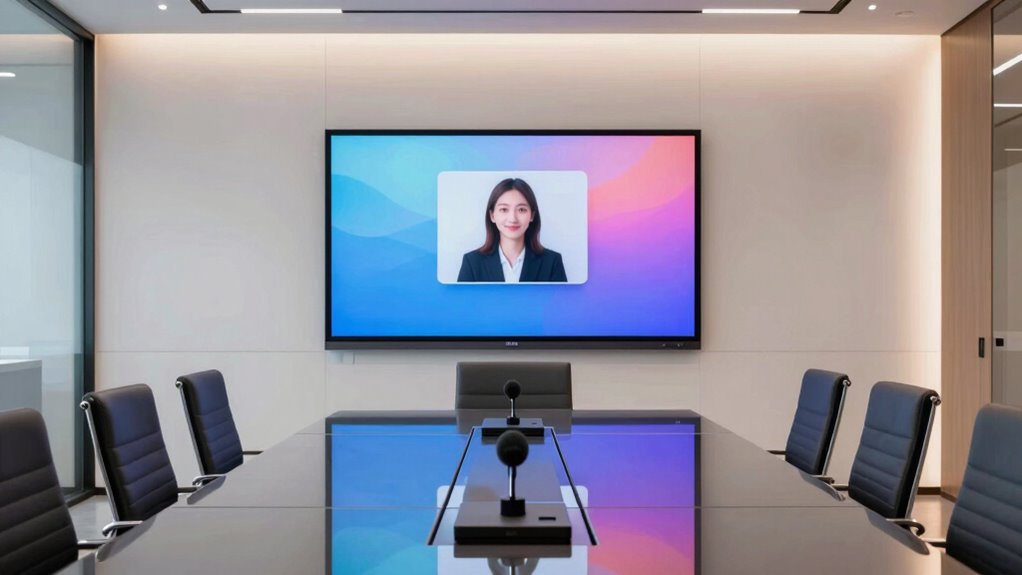

Choosing the right room system kit for Zoom Rooms can significantly enhance your meeting experience. For small offices or huddle spaces, the Yealink A10-020 offers a compact, high-quality all-in-one setup with AI-enhanced video. If you need to outfit large conference rooms, the Nureva HDL310 provides exceptional audio clarity and coverage. For those seeking a balanced, portable option, the All-in-One Conference System with dual-lens camera delivers smart framing and easy connectivity. Meanwhile, the 20x Zoom Conference Camera System caters to medium and large rooms requiring detailed remote control, while the Yealink Microsoft Teams Room System Bundle is ideal for bigger spaces prioritizing native Teams integration. Each choice involves tradeoffs in size, complexity, and feature depth, depending on your room size and collaboration needs.

Get business pricing on networking and server gear
- Business-only prices and quantity discounts
- Tax-exempt purchasing
- Multiple users, one account, clear invoices
Key Takeaways
- All-in-one solutions like Yealink A10-020 excel in small rooms with easy setup and AI features.
- Large room audio demands are best met with dedicated systems like Nureva HDL310 for clear sound coverage.
- Portability and simplicity are key in the dual-lens AI camera system, suitable for small to medium rooms.
- Zoom-specific systems such as the TONGVEO 20x camera deliver zoom and detailed control for bigger spaces.
- Premium bundles like Yealink’s Microsoft Teams Room System suit large conference rooms with advanced features and integration.
| Yealink A10-020 All-in-One Video Conferencing System with CTP18 Touch Panel |  | Best Overall for Small Rooms and Home Offices | Sensor Type: CMOS | Video Resolution: 4K | Connectivity Technology: HDMI | VIEW ON AMAZON | See Our Full Breakdown |
| Nureva HDL310 Audio Conferencing System for 30×30′ Large Rooms |  | Best for Large Rooms and Clear Audio | Microphones: 12 MEMS | Coverage Area: 30×30 feet | Speakers: 2x 20W | VIEW ON AMAZON | See Our Full Breakdown |
| All-in-One Conference System: 4K Dual-Lens Webcam + Bluetooth Speakerphone |  | Best for Small to Medium Rooms and Portability | Sensor Type: CMOS | Video Resolution: UHD 4K | Connectivity Technology: USB | VIEW ON AMAZON | See Our Full Breakdown |
| 20x Zoom Conference Room Camera System TONGVEO All-in-1 |  | Best for Medium to Large Rooms with Detailed Remote Control | Zoom: 20x optical | Video Resolution: Full HD 1920×1080 | Frame Rate: 60fps | VIEW ON AMAZON | See Our Full Breakdown |
| Yealink Microsoft Teams Room System Bundle for Medium to Large Rooms |  | Premium Hybrid Solution with AI and Native Teams Support | Operating System: Microsoft Teams Rooms OS | Design Type: All in One | Item Dimensions: 23.6 x 15.7 x 9.8 inches | VIEW ON AMAZON | See Our Full Breakdown |
| room system kit for zoom room | Video Resolution |
|---|---|
| Yealink A10-020 All-in-One Vid | 4K |
| Nureva HDL310 Audio Conferenci | — |
| All-in-One Conference System: | UHD 4K |
| 20x Zoom Conference Room Camer | Full HD 1920×1080 |
| Yealink Microsoft Teams Room S | — |
More Details on Our Top Picks
Yealink A10-020 All-in-One Video Conferencing System with CTP18 Touch Panel
The Yealink A10-020 stands out for its all-in-one design, combining a 4K wide-angle camera with AI auto-framing and speaker tracking, making it ideal for small meeting rooms and personal offices. Its 8-inch touchscreen simplifies control and management, while certified compatibility with both Microsoft Teams and Zoom ensures smooth operation. Compared with larger systems, it offers a straightforward plug-and-play experience, but its weight and limited size make it less suitable for larger spaces or outdoor environments. This pick makes the most sense for users seeking quality, ease of use, and a compact footprint.
Pros:- High-quality 4K camera with AI auto-framing and tracking
- Intuitive 8-inch touchscreen control panel
- Certified for Zoom and Microsoft Teams
- Plug-and-play setup with multiple connectivity options
Cons:- Relatively heavy at 4.42 kg, may need sturdy mounting
- Limited to small rooms and indoor use
- No weather or water resistance features
Best for: Small meeting rooms, home offices, users prioritizing simplicity and AI features
Not ideal for: Large conference spaces, outdoor setups, environments requiring water resistance
- Sensor Type:CMOS
- Video Resolution:4K
- Connectivity Technology:HDMI
- Form Factor:Compact
- Supported Devices:Computer, TV, Smartphone
- Special Features:Auto Framing, Speaker Tracking
Our verdict“Best all-in-one compact system for small rooms that combines AI-driven video with user-friendly controls.”
Nureva HDL310 Audio Conferencing System for 30×30′ Large Rooms
The Nureva HDL310 excels in large spaces up to 30×30 feet, delivering outstanding audio clarity through 12 MEMS microphones and robust 20W speakers. Its coverage and sound quality make it ideal for formal conference rooms that require crisp, noise-free audio. While it doesn’t include a camera, its compatibility with camera systems makes it a flexible choice for large rooms needing high-quality audio. Compared with smaller audio solutions, this system can handle complex acoustic environments but requires more setup time and space considerations. It’s perfect for professional environments where audio quality is paramount.
Pros:- Excellent coverage with 12 MEMS microphones
- Powerful dual 20W speakers
- Easy installation in large spaces
- Supports camera integration for remote meetings
Cons:- Designed mainly for large rooms, overkill for small spaces
- No built-in video component
- Setup can be time-consuming
Best for: Large conference rooms, organizations prioritizing audio clarity
Not ideal for: Small rooms or setups where integrated video is mandatory, on a tight budget
- Microphones:12 MEMS
- Coverage Area:30×30 feet
- Speakers:2x 20W
- Connectivity:USB-B 2.0, 3.5mm aux, RJ45
- Compatibility:Windows, macOS
- Certifications:FCC Part 15, UL 62368
Our verdict“Ideal for large rooms needing superior audio clarity, but less suited to small or outdoor environments.”
All-in-One Conference System: 4K Dual-Lens Webcam + Bluetooth Speakerphone
This conference system combines a 4K dual-lens AI camera with a panoramic 1080p lens and a portable speakerphone, making it a versatile choice for small to medium meetings. The AI features include auto-framing and gallery detection, which adapt to participants dynamically. Its plug-and-play design and compatibility with multiple platforms, including Windows and Mac, make it a flexible solution for users who need mobility and ease of setup. Compared with dedicated large-room audio systems, it sacrifices some coverage but excels in portability and simplicity, ideal for hybrid or remote teams on the go.
Pros:- High-quality 4K dual-lens AI camera
- 360° voice pickup with noise reduction
- Easy to connect and use across platforms
- Portable design for flexible deployment
Cons:- Designed mainly for small to medium rooms
- Limited water resistance
- Requires compatible devices for full features
Best for: Small to medium rooms, remote or hybrid meetings, users valuing portability
Not ideal for: Large conference rooms, outdoor environments, setups needing water resistance
- Sensor Type:CMOS
- Video Resolution:UHD 4K
- Connectivity Technology:USB
- Special Features:AI Auto Framing, Gallery Detection
- Audio Supported:AAC, MP3
- Supported OS:Windows 10/11, Mac OS 10.10+
Our verdict“A portable, AI-enhanced conferencing system perfect for small to medium rooms and mobile setups.”
20x Zoom Conference Room Camera System TONGVEO All-in-1
The TONGVEO 20x Zoom Camera System offers an impressive 20x optical zoom and full HD video, making it suitable for larger conference spaces where detailed remote control is essential. Its flexible camera rotation (350° horizontal, 180° vertical) allows comprehensive coverage, while the Bluetooth speakerphone provides clear audio. Although the wired connection for the camera might limit placement options, this system is a solid choice for rooms that require high zoom capability and detailed remote operation. Compared with more compact options, it emphasizes control and zoom, but at the expense of setup flexibility.
Pros:- High-quality 20x optical zoom
- Full HD resolution at 60fps
- Flexible pan and tilt with 350°/180° movement
- Long battery life for extended use
Cons:- Wired camera limits placement options
- Requires specific operating systems
- Setup complexity can be higher
Best for: Medium to large rooms needing detailed remote zoom and control
Not ideal for: Small rooms, outdoor setups, users preferring wireless camera connections
- Zoom:20x optical
- Video Resolution:Full HD 1920×1080
- Frame Rate:60fps
- Connectivity:Bluetooth, USB
- Microphone Range:20ft
- Camera Rotation:350° horizontal, 180° vertical
Our verdict“Best for rooms requiring detailed remote zoom with comprehensive camera control, suitable for larger, formal settings.”
Yealink Microsoft Teams Room System Bundle for Medium to Large Rooms
This comprehensive Yealink Microsoft Teams Room System Bundle is designed for larger spaces, offering a full suite of high-resolution cameras, a powerful mini-PC, and a large touch panel. Its AI-driven triple-camera system ensures crisp video and dynamic framing, while native Teams integration makes it user-friendly for enterprise environments. Compared to simpler solutions, this bundle provides a robust, scalable platform with advanced content sharing and AI features, but its size and installation complexity mean it’s best suited for dedicated conference rooms. It’s a premium choice for organizations needing a professional, all-encompassing setup.
Pros:- High-resolution triple-camera system with AI features
- Native Microsoft Teams interface
- Powerful Intel processor with AI capabilities
- Supports wireless and wired sharing
Cons:- Heavy and large setup requiring space
- Installation can be complex
- Limited compatibility outside Microsoft ecosystem
Best for: Medium to large enterprise conference rooms, Teams-centric organizations
Not ideal for: Small rooms, users seeking portable options, environments without dedicated space
- Operating System:Microsoft Teams Rooms OS
- Design Type:All in One
- Item Dimensions:23.6 x 15.7 x 9.8 inches
- Video Output Interface:HDMI, DisplayPort
- Hardware Interface:Ethernet
- Memory:DDR4 SDRAM
Our verdict“Best for large corporate rooms requiring a high-end, integrated Teams solution with AI-enhanced video.”

How We Picked
Our selection process focused on room size compatibility, ease of use, feature set, and integration with Zoom. We prioritized products with proven video and audio quality, user-friendly interfaces, and flexible connectivity options. To ensure relevance, we compared systems designed for small, medium, and large rooms, analyzing their specs, certifications, and real-world tradeoffs. Our goal was to identify options that balance performance and value, offering readers a clear view of which solutions suit specific spaces and needs.
Factors to Consider When Choosing Room System Kit For Zoom Rooms
Selecting the ideal room system kit for Zoom Rooms depends heavily on your room size, existing infrastructure, and collaboration needs. Smaller rooms benefit from compact, AI-enabled all-in-one systems that are easy to deploy, while larger spaces demand more sophisticated audio and video solutions with extensive coverage. Compatibility with your preferred platform (Zoom, Teams, etc.) and ease of use are also key factors. Understanding these variables helps you match the right system to your environment without overspending or sacrificing performance.
Room Size and Scope
For small rooms or huddle spaces, look for compact, all-in-one solutions like the Yealink A10-020 that combine camera, audio, and control in a single device. Medium and large rooms often require systems with higher zoom, better audio coverage, and multiple cameras, such as the TONGVEO 20x Zoom or the Yealink Teams Room bundle. Carefully consider your space to avoid over- or under-investing in features you don’t need.
Audio and Video Quality
High-quality video depends on camera resolution, auto-framing, and AI features, while audio clarity hinges on microphone count, speaker power, and noise reduction. For large rooms, dedicated audio systems like Nureva HDL310 ensure clear sound, whereas small rooms benefit from integrated solutions with smart framing. Balance your priorities based on whether visuals or sound quality is more critical in your environment.
Ease of Deployment and Compatibility
Plug-and-play options save time and reduce setup complexity, especially for small spaces. Larger systems may require professional installation but offer more control and scalability. Always verify platform compatibility—Zoom, Microsoft Teams, or others—and ensure the hardware supports your existing network and device ecosystem for seamless integration.
Frequently Asked Questions
What should I consider when choosing a room system kit for Zoom Rooms?
Focus on your room size, the level of video and audio quality needed, and whether the system supports your preferred collaboration platform. Larger spaces need systems with high zoom and coverage, while small rooms benefit from compact, all-in-one units. Compatibility, ease of use, and future scalability are also key factors to ensure your investment remains effective over time.
Are all-in-one systems suitable for large conference rooms?
Most all-in-one solutions excel in small to medium rooms but may lack the extensive coverage or advanced control features required for larger spaces. For large rooms, systems like the Yealink Teams Room bundle or the TONGVEO 20x Zoom are better suited, offering multiple cameras, AI features, and detailed remote control to meet the demands of bigger environments.
How important is AI automation in these room systems?
AI features such as auto-framing, speaker tracking, and gallery view significantly enhance the user experience by keeping participants well-framed and reducing manual adjustments. They are especially valuable in dynamic, hybrid meetings where participants move around or different areas of the room are used frequently.
Can I use these systems outdoors or in water-prone environments?
Most of these systems are designed for indoor use only, with no water or weather resistance. Outdoor or outdoor-adjacent environments require specialized, weatherproof equipment. Always check the water resistance ratings if outdoor deployment is a priority.
Do I need professional installation for these systems?
Small, all-in-one systems typically offer straightforward plug-and-play setups suitable for most users. Larger or more complex solutions, such as the Yealink Teams Room bundle or TONGVEO system, may require professional installation to ensure optimal performance and integration, especially in sizable or multi-room environments.
Conclusion
For small rooms or home offices, I recommend the Yealink A10-020 for its simplicity and AI features. Medium to large organizations should consider the Yealink Teams Room System Bundle or the TONGVEO 20x Zoom for comprehensive coverage and control. If audio clarity in large spaces is your main concern, the Nureva HDL310 is an excellent choice. Ultimately, matching your room size, collaboration platform, and desired feature set will guide you toward the best system for your needs.
Evergreen bestsellers Picks
bestsellers
As an affiliate, we earn on qualifying purchases.