

To determine your storage capacity needs, you’ll want to start by estimating your current data volume and growth rate, then add extra space for redundancy and future expansion. Include considerations for cloud storage costs if you’re migrating or using hybrid setups, and factor in backup and snapshot requirements. Regularly review utilization metrics to optimize your resources and avoid overspending. If you’re interested in a detailed formula that covers all these factors, keep going to discover more.
Key Takeaways
- Assess current data generation rates and projected growth to determine baseline storage needs.
- Include redundancy, snapshots, and backup space to ensure data protection and disaster recovery.
- Factor in cloud storage requirements and costs alongside on-premises capacity estimates.
- Regularly analyze utilization metrics to identify underused resources and optimize storage.
- Overestimate slightly to accommodate future growth and prevent unexpected capacity shortages.

Determining the right storage capacity is vital for IT teams to guarantee systems run smoothly without overpaying for unused space. To do this effectively, you need a reliable formula that considers your current needs and future growth. A key factor to consider is data redundancy, which ensures your data remains protected even if hardware fails. Including data redundancy in your capacity planning helps prevent unexpected outages and data loss, especially for critical applications. When planning your storage, think about how much data you generate daily, weekly, and monthly, then add extra space to accommodate growth. Remember, storage needs are rarely static, so it’s better to overestimate slightly than to run out of space unexpectedly. Additionally, understanding your data growth rate can help you refine your capacity estimates over time. Another essential aspect is cloud migration. As you transition to the cloud or operate hybrid environments, you must factor in cloud storage costs and capacity. Cloud platforms often charge based on actual usage, so understanding your baseline storage needs helps prevent overspending. When calculating your required capacity, include both on-premises and cloud storage estimates, especially if you’re storing copies of data in multiple locations. This ensures you’re not caught off guard by hidden costs or underestimated requirements. Also, cloud migration often involves data redundancy and backup strategies, which can influence your total storage needs. Be sure to incorporate backup copies and snapshots into your calculations so your capacity planning aligns with your disaster recovery and compliance policies. Properly analyzing storage utilization metrics regularly can reveal underused resources and help you optimize your overall storage strategy, ultimately saving costs and improving efficiency.
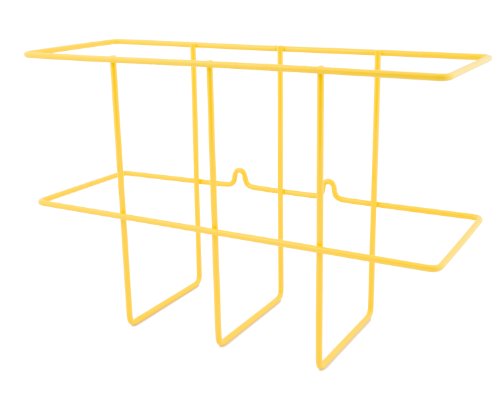
ZING Green Products 7199 Wall Mount Wire Basket SDS Binder Holder with Mounting Hardware, 14 by 9 by 4.5 Inch, Yellow
- Easy SDS Document Access: Includes mounting hardware for quick setup
- Durable Metal Construction: Recycled steel with powder-coated yellow finish
- Generous Storage Size: Measures 14x9x4.5 inches for large binders
As an affiliate, we earn on qualifying purchases.
As an affiliate, we earn on qualifying purchases.
Frequently Asked Questions
How Does Data Redundancy Impact Storage Capacity Calculations?
Data redundancy impacts storage capacity calculations because it requires extra space for copies of data, which can reduce overall usable capacity. Redundancy strategies, like RAID or mirroring, prioritize data integrity but increase storage needs. When planning, you must account for this additional overhead to guarantee enough capacity for your data and redundancy, balancing data integrity with efficient use of storage resources.
What Are the Best Practices for Estimating Future Data Growth?
To estimate future data growth effectively, you should analyze historical data trends and consider upcoming projects or business changes. Incorporate data security and backup strategies into your planning to guarantee capacity can handle increased data volumes securely. Regularly review and update your estimates, factoring in technological advancements and potential data redundancies, so your storage solutions remain scalable and reliable without risking data loss or security breaches.
How Do Different Storage Types Affect Capacity Planning?
Did you know that 80% of organizations use multiple storage types? Different storage types—like HDDs, SSDs, or storage virtualization—impact capacity planning considerably. For example, data transfer speeds vary, influencing how quickly you can access or back up data. Storage virtualization consolidates these types, optimizing space and simplifying management. Understanding these differences helps you accurately forecast capacity needs and avoid costly over- or under-provisioning.
What Role Does Data Compression Play in Storage Estimation?
Data compression markedly impacts storage estimation by reducing the actual space needed for data. When you consider storage virtualization, it helps optimize space further by consolidating multiple storage resources. Keep in mind, data encryption can slightly increase storage requirements due to added security data. Together, these factors influence your capacity planning, ensuring you allocate enough storage while maintaining security and efficiency in your infrastructure.
How to Account for Scalability in Capacity Planning?
You should account for scalability by estimating future data growth and planning for cloud migration, which offers flexible storage options. Incorporate data security measures to protect increased data volumes, and choose hardware that can adapt to expanding needs. Regularly review your capacity plan to guarantee it aligns with changing business demands, and consider cloud solutions for seamless scalability without compromising data security.

TERRAMASTER D2-320 USB RAID Enclosure 2-Bay
- High-Speed Data Transfer: Up to 10Gbps via USB 3.2 Gen2
- Fast Read/Write Speeds: Up to 1075MB/s with SSDs
- Multiple RAID Options: RAID 0, 1, JBOD, Single
As an affiliate, we earn on qualifying purchases.
As an affiliate, we earn on qualifying purchases.
Conclusion
By applying this storage capacity formula, you can make smarter hardware decisions and avoid costly over- or under-provisioning. Imagine a small business planning to expand its data needs—accurately calculating storage guarantees they buy just enough infrastructure, saving money and avoiding future headaches. Use the formula as your guide, and you’ll confidently select storage solutions that grow with your organization, keeping operations smooth and efficient for years to come.
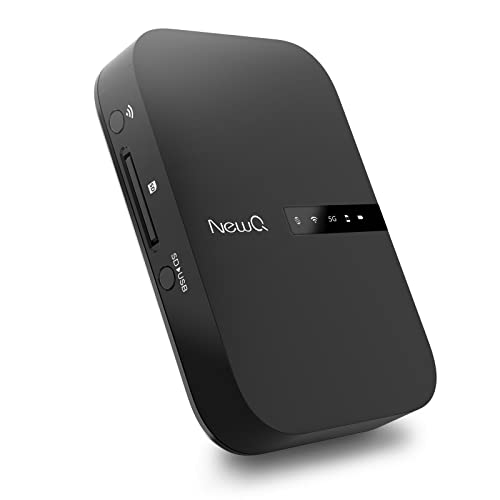
NewQ Filehub AC750 Travel Router: Portable Hard Drive SD Card Reader & Mini WiFi Range Extender for Travel | Wireless Access External Harddrive & USB Storage Device to Backup Photo & Files from iPhone
- Portable Wireless Router: Transforms wired networks to WiFi on travel
- Multiple Router Modes: Supports Access Point, Router, and Bridge modes
- Wireless Data Transmission: Connects external storage for wireless file access
As an affiliate, we earn on qualifying purchases.
As an affiliate, we earn on qualifying purchases.

Western Digital 14TB Elements Desktop External Hard Drive, USB 3.0 external hard drive for plug-and-play storage – Western DigitalBWLG0140HBK-NESN
- High-capacity storage: 14TB external hard drive
- Fast data transfer: USB 3.0 speeds
- Plug-and-play compatible: Easy setup for Windows
As an affiliate, we earn on qualifying purchases.
As an affiliate, we earn on qualifying purchases.