TL;DR
Prebuilt AI workstations are now often priced competitively with DIY builds thanks to component shortages and bulk buying. The choice hinges on your need for control and support versus speed and convenience.
Building your own AI workstation used to be the clear winner on cost. That’s no longer the case in 2026. Now, the decision is more about what matters most: control and customization, or speed and support.
If you’re serious about AI — content creation, data analysis, or machine learning — choosing between build and buy shapes your entire workflow. Let’s cut through the noise and look at what really matters today.
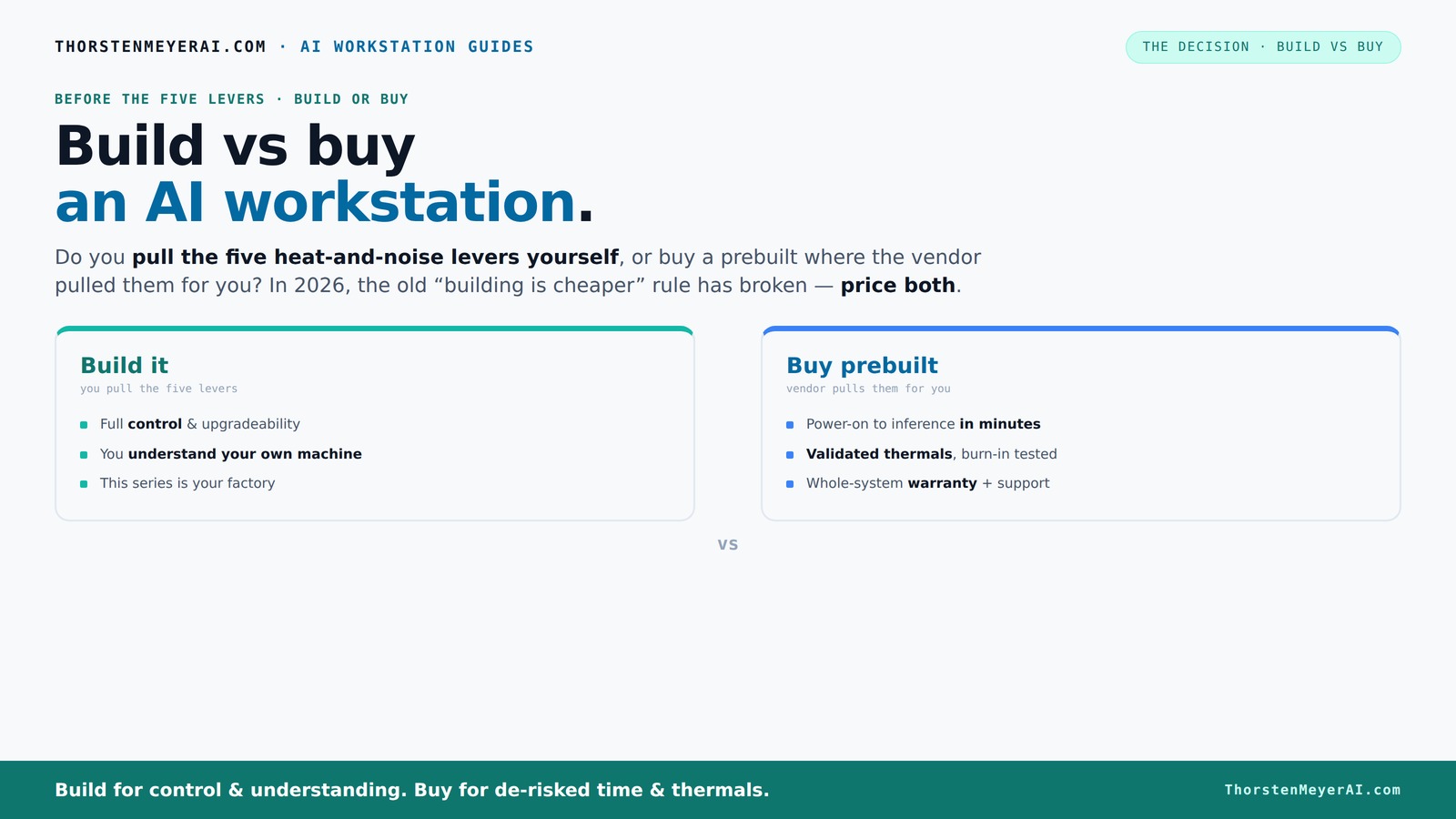
Build vs buy
an AI workstation.
The real question behind this whole series: do you pull the five heat-and-noise levers yourself, or buy a prebuilt where the vendor pulled them for you? And in 2026, the old “building is cheaper” rule has broken. Match your situation in Part 3.
Key Takeaways
- In 2026, prebuilt AI workstations often match or beat DIY on price due to component shortages and bulk buying.
- Building your own gives you control over thermal management, noise, and future upgrades, but requires time and expertise.
- Support and warranty from vendors reduce downtime risk and simplify troubleshooting during critical AI workloads.
- Performance depends on balanced hardware — prioritize GPU, RAM, CPU, and fast storage in your build.
- Consider privacy and offline processing needs — local AI hardware offers unmatched control for sensitive projects.
As an affiliate, we earn on qualifying purchases.
Why 2026 Changes the Game for Building vs Buying AI Workstations
In the past, DIY was always cheaper. Today, the landscape has shifted. Component shortages and bulk buying have driven prices sky-high for GPUs, RAM, and SSDs. A build that used to cost under $1,000 now often pushes past $1,250 — before you even add an OS or software.
Major prebuilt vendors ordered parts in bulk before prices surged, so they can offer systems at prices hard to match. This flips the old script: buying prebuilt now can be equally, if not more, cost-effective, especially for high-end setups.
Understanding these market shifts is crucial because they affect your long-term value. If you build, you might face rising costs or shortages that delay projects. Buying prebuilt can mitigate these risks by providing ready-to-run systems that are optimized and tested, often at comparable or better prices.
As an affiliate, we earn on qualifying purchases.
What’s in a build? The five levers you pull to tune your AI machine
Building your own AI workstation means you control five key levers: undervolting your GPU, matching the right cooling, optimizing airflow, tuning fan curves, and choosing the perfect placement. These factors determine how cool, quiet, and efficient your machine runs under load.
For example, undervolting can reduce power consumption and heat, allowing higher sustained performance without thermal throttling. Custom cooling solutions, like water loops, can significantly decrease noise and improve thermal margins, which is vital during prolonged AI training runs. Fine-tuning airflow and fan curves ensures the system maintains optimal temperatures while minimizing noise, critical in a workspace environment. Placement also matters; proper case positioning can improve airflow and thermal performance.
Mastering these levers involves understanding the tradeoffs: balancing cooling efficiency with noise, or power savings with performance. The effort pays off in a a quieter, more reliable machine tailored precisely to your workload, but it requires time, expertise, and ongoing adjustments.
As an affiliate, we earn on qualifying purchases.
Why buy a prebuilt? The benefits of letting someone else pull the levers
Prebuilt systems come with the work already done. They’re tested for thermals, noise, and stability. Vendors like Lambda or Puget run 24–48 hours of stress testing, ensuring your system won’t throttle or overheat during intense AI workloads.
This thorough validation process is critical because AI tasks generate significant heat and power draw, which can cause instability or hardware degradation if not properly managed. Prebuilts are designed with these considerations in mind, reducing the risk of thermal throttling that can slow down training or inference. Their testing ensures consistent performance, especially under sustained loads.
Plus, they include warranties and support. When your training runs hit a snag, you call support instead of troubleshooting BIOS settings late into the night. This support can be invaluable for complex AI setups, where diagnosing hardware or thermal issues quickly can save days of downtime and lost productivity.
As an affiliate, we earn on qualifying purchases.
Cost breakdown: Building vs Buying in 2026
| Aspect | Build | Buy |
|---|---|---|
| Component Cost | Typically lower, but rising due to shortages | Often comparable or cheaper thanks to bulk buying |
| Time & Effort | Hours of research, assembly, troubleshooting | Minutes to setup, plug and play |
| Support & Warranty | Limited, DIY troubleshooting | Vendor support, warranty included |
| Upgradeability | Highly customizable, future upgrades easy | Depends on vendor, sometimes limited |
Performance factors that matter most for AI tasks
For AI workloads, GPU power is king — but CPU, RAM, and fast SSDs are equally important. A high-end GPU like the RTX 4090 or A100 makes a noticeable difference in training and inference speeds. But without enough RAM or a balanced CPU, bottlenecks crop up.
For example, a machine with a 6000-series AMD CPU, 128GB RAM, and NVMe SSDs will outperform a mismatched setup with just a GPU upgrade. According to recent benchmarks, the right hardware combo can cut training time in half.
Understanding these hardware elements helps you prioritize where to invest. A balanced system prevents bottlenecks that limit performance gains, ensuring your investment translates into faster training times and more efficient workflows. Learn more about hardware optimization for AI setups.
Support, warranty, and what happens when things go wrong
Prebuilt systems include warranties, often 3–5 years, with support that covers parts and labor. When your GPU or motherboard fails during a critical experiment, you call support and get it fixed fast. No hunting for parts or guessing what went wrong.
This support minimizes downtime, which is critical when your AI training or inference is time-sensitive. The warranty and support infrastructure also often include updates and troubleshooting assistance, reducing the need for in-depth technical knowledge on your part. This can be a significant advantage if your expertise is limited or if your project timeline is tight.
DIY builds mean you’re on your own. You’ll troubleshoot, replace parts, and hope your warranty covers the issue. For many, the peace of mind from a supported system outweighs the initial savings, especially when dealing with high-value components like GPUs or specialized accelerators.
Upgrade paths and future-proofing your AI setup
Buying prebuilt often limits your upgrade options. You might be able to swap out a GPU or add RAM, but some vendors lock down the motherboard or case. Building your own gives you full control — swap in a new GPU, add more RAM, or upgrade the CPU easily.
Future-proofing involves considering how your hardware can adapt to evolving AI workloads and software updates. A DIY build allows you to select components with better upgrade paths, such as motherboards supporting newer CPUs or multiple GPU configurations. This flexibility can extend your system’s useful life, saving money over time and allowing you to adapt to new AI models or datasets.
If you anticipate growth or changing needs, investing in a flexible, upgradeable build makes sense. Conversely, prebuilt systems may require you to buy new machines sooner if they become outdated, which can negate initial cost savings.
Privacy and local AI: Why it matters in 2026
Local AI processing keeps your data on-site, away from cloud vulnerabilities. For sensitive projects or privacy-focused workflows, a dedicated AI workstation is a must. Building your own gives you total control over data handling, security, and software choices.
Prebuilts can also support privacy, but you rely on vendor policies and security practices. If offline operation and data privacy are top priorities, DIY has the edge because you can implement custom security measures, isolate networks, and ensure no data leaves your premises without your approval. This level of control is essential for industries like healthcare, finance, or government research, where data privacy breaches can have serious consequences.
Who should buy prebuilt, and who should build?
If you need quick deployment, support, and minimal hassle, a prebuilt is your best bet. Especially if you're working on critical projects or multi-GPU setups — vendors validate the entire system.
On the other hand, if you enjoy tinkering, want maximum control, or plan to upgrade over years, building your own is worth the effort. It allows customization tailored to your specific AI workflows and future growth, potentially saving money and providing a learning experience that can be invaluable as your expertise develops.
Checklist: What to verify before buying or building
- Define your AI workload: inference, training, or both?
- Set a realistic budget considering current shortages
- Choose the right GPU — consider quiet, power-efficient models
- Assess your cooling solution needs
- Decide on support and warranty requirements
When is prebuilt the smarter choice?
If time, support, and reliability are your top concerns, buying prebuilt makes sense. It’s ready to run, tested for thermals, and backed by warranty. For many AI professionals, this reduces risk and accelerates project start.
For example, a content creator needing a quick, quiet, powerful rig might prefer a prebuilt from Lambda or Puget, arriving ready for deployment.
Frequently Asked Questions
Is a prebuilt AI workstation worth it, or should I build my own?
If you value support, quick setup, and validated thermals, a prebuilt is worth the extra cost. If you enjoy tinkering and want maximum control over every component, building your own offers that flexibility, especially if you’re comfortable troubleshooting.
Which option is cheaper over the full lifecycle?
With current market conditions, prebuilts can sometimes be cheaper upfront and include support, reducing long-term downtime costs. DIY might save money on parts initially but could cost more in troubleshooting and upgrades over time.
How much performance do I lose or gain with a prebuilt?
Prebuilts are often optimized at the factory for thermals and quiet operation, which can sometimes mean slightly lower raw performance than a DIY tuned for maximum power. However, the difference is usually minimal compared to the convenience and reliability gains.
What specs matter most for AI workloads?
The GPU is king — look for high-end models like the RTX 4090 or A100. But don’t ignore CPU, RAM, and NVMe SSDs, which all contribute to smooth, fast AI training and inference.
Do I need local AI hardware, or can I rely on cloud tools?
It depends. Local hardware offers privacy, offline capability, and lower latency, ideal for sensitive or large-scale tasks. Cloud is flexible and scalable but involves ongoing costs and potential data security concerns.
Conclusion
Choosing between build and buy a high-powered AI workstation isn’t just about cost anymore. It’s about your workflow, your control, and how much time you’re willing to invest.
If you want quick deployment with proven stability, a prebuilt system can save you headaches. But if you crave customization and long-term control, building your own might still be your best move.