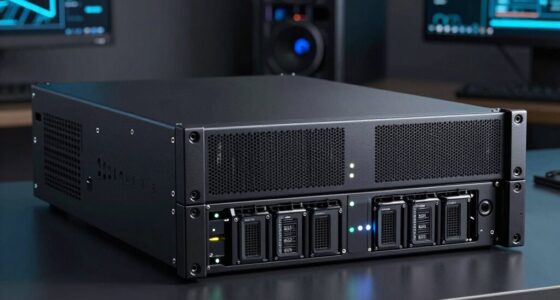
Finding the best rackmount NAS with SSD cache in 2026 means balancing performance, expandability, and ease of use. The Synology RS822+ stands out for its reliable software and versatile design, making it the top overall pick. The QNAP TS-435XeU offers high-speed access with its M.2 NVMe SSD slots, perfect for demanding workflows. Meanwhile, the QNAP TS-1273AU-RP provides high capacity and redundancy for enterprise needs. Readers face tradeoffs between raw speed, expandability, and cost, so continue reading for a detailed comparison of these options and more.

Get business pricing on networking and server gear
- Business-only prices and quantity discounts
- Tax-exempt purchasing
- Multiple users, one account, clear invoices
Key Takeaways
- The top-performing models combine multiple SSD slots with powerful CPUs for demanding workloads.
- Expandability and scalability often come at a higher price but provide long-term value.
- Short-depth rackmounts are ideal for limited space environments but may sacrifice some expansion options.
- Software ecosystem and ease of management vary significantly, influencing user experience.
- Entry-level options are generally diskless and require additional investment in drives and setup.
| Synology 4-Bay RackStation RS822+ (Diskless) |  | Best Overall Rackmount NAS with SSD Cache | Sequential Read/Write Throughput: 2,103/1,074 MB/s | Drive Bays: 4 (expandable to 8 with RX418) | Network Ports: 4 x 1GbE | VIEW LATEST PRICE | See Our Full Breakdown |
| QNAP TS-435XeU-4G-US 4-Bay High-Speed Short Depth Rackmount NAS with M.2 NVMe SSD, Quad-Core Marvell Octeon CPU, 4GB DDR4 Memory, Dual 2.5GbE and 10GbE Network Connectivity |  | Best for High-Speed Professional Environments | Processor: Marvell OCTEON TX2 CN9130 / CN9131 | Memory: 4GB DDR4 (expandable up to 32GB) | Drive Bays: 4 | VIEW LATEST PRICE | See Our Full Breakdown |
| QNAP TS-1273AU-RP 12-Bay High-Performance Rackmount NAS with Redundant Power Supply and 2.5GbE Ports |  | Best for Heavy-Duty Enterprise Storage | Processor: AMD Ryzen V1500B quad-core 2.2 GHz | RAM: 8GB DDR4 (max 32GB) | Drive Bays: 12 x 3.5-inch | VIEW LATEST PRICE | See Our Full Breakdown |
| TERRAMASTER U4-500 NAS 4-Bay, Intel Core i3-1215U, 8GB DDR5, Diskless |  | Best for SMBs with High Performance and Flexibility | Processor: Intel Core i3-1215U | Memory: 8GB DDR5 | Storage Bays: 4 | VIEW LATEST PRICE | See Our Full Breakdown |
| QNAP TS-855eU 8-Bay 2U Rackmount NAS |  | Best for Large Capacity and Expansion | Processor: Intel Atom C5125 8-core 2.8GHz | RAM: 8GB DDR4 (up to 64GB) | Network Ports: 2 x 2.5GbE | VIEW LATEST PRICE | See Our Full Breakdown |
| Synology RackStation RS826+ 4-Bay 1U Rackmount NAS Server (Diskless) |  | Best Overall for High-Performance Office Storage | Drive Bays: 4 | Form Factor: 1U Rackmount | Performance: Over 2,000 MB/s read, 1,300 MB/s write | VIEW LATEST PRICE | See Our Full Breakdown |
| QNAP TS-h1090FU-7302P-256G-US 10 Bay Dual-Processor All-Flash NAS |  | Best for Enterprise Virtualization and Heavy Workloads | Processor: AMD EPYC 7302P 16-core/32-thread | Memory: Up to 1TB DDR4 ECC RAM | Storage Bays: 10 U.2/U.3 NVMe PCIe Gen 4 SSD slots | VIEW LATEST PRICE | See Our Full Breakdown |
| QNAP TS-864eU 8-Bay Short Depth Rackmount NAS with Dual 2.5GbE, Intel Celeron CPU, 8GB DDR4 RAM, and HDMI Output |  | Best Compact Rackmount with Versatile Media Features | Processor: Intel Celeron N5105/N5095 | Memory: 8GB DDR4 | Network Connectivity: Dual 2.5GbE ports | VIEW LATEST PRICE | See Our Full Breakdown |
| Synology RackStation RS3621xs+ NAS Server with Xeon 2.1GHz CPU, 48GB Memory, 48TB SSD Storage, 2 x 10GbE LAN Ports |  | Best for Scalable Enterprise Data Security | Processor: Xeon D-1541 8-Core 2.1GHz | Memory: 48GB DDR4 ECC UDIMM | Storage Capacity: 48TB (12 x 4TB SSD) | VIEW LATEST PRICE | See Our Full Breakdown |
| Synology 4-Bay Rackmount NAS RackStation RS422+ (Diskless), Black |  | Best Space-Saving Rackmount with Speed and Failover | Form Factor: Rackmount | Number of Bays: 4 | Diskless: Yes | VIEW LATEST PRICE | See Our Full Breakdown |
| QNAP TS-432XeU 4-Bay 1U Short-Depth Rackmount NAS |  | Best for Edge and Small Rack Deployments | Number of Bays: 4 | Form Factor: 1U Rackmount | Processor: Annapurna Labs Alpine Cortex-A57 Quad-core | VIEW LATEST PRICE | See Our Full Breakdown |
| Synology 4 Bay Rackmount NAS – 1U (RS1626xs+) |  | Best for High-Performance Enterprise Workloads | Form Factor: 1U rackmount | Drive Bays: 4 (expandable to 16) | Network: Dual 10GbE RJ-45 ports | VIEW LATEST PRICE | See Our Full Breakdown |
| rackmount NAS with SSD cache | Form Factor | Processor |
|---|---|---|
| Synology 4-Bay RackStation RS8 | 1U rackmount | — |
| QNAP TS-435XeU-4G-US 4-Bay Hig | 1U rackmount | Marvell OCTEON TX2 CN9130 / CN9131 |
| QNAP TS-1273AU-RP 12-Bay High- | — | AMD Ryzen V1500B quad-core 2.2 GHz |
| TERRAMASTER U4-500 NAS 4-Bay | — | Intel Core i3-1215U |
| QNAP TS-855eU 8-Bay 2U Rackmou | 2U rackmount | Intel Atom C5125 8-core 2.8GHz |
| Synology RackStation RS826+ 4- | 1U Rackmount | — |
| QNAP TS-h1090FU-7302P-256G-US | 1U rackmount | AMD EPYC 7302P 16-core/32-thread |
| QNAP TS-864eU 8-Bay Short Dept | Short depth rackmount | Intel Celeron N5105/N5095 |
| Synology RackStation RS3621xs+ | — | Xeon D-1541 8-Core 2.1GHz |
| Synology 4-Bay Rackmount NAS R | Rackmount | — |
| QNAP TS-432XeU 4-Bay 1U Short- | 1U Rackmount | Annapurna Labs Alpine Cortex-A57 Quad-core |
| Synology 4 Bay Rackmount NAS | 1U rackmount | — |
More Details on Our Top Picks
Synology 4-Bay RackStation RS822+ (Diskless)
The Synology RS822+ stands out for its combination of high throughput and expandability, making it ideal for growing businesses needing reliable, scalable storage. Compared to the QNAP TS-435XeU, it offers slightly higher sequential read speeds but requires an additional expansion unit (RX418) for maximum capacity, which adds complexity and cost. Its four 1GbE ports support failover and load balancing, ensuring consistent network performance, and SSD cache support can significantly boost responsiveness for demanding applications. Still, the need for an extra expansion chassis and lack of bundled drives are tradeoffs that might deter users seeking an all-in-one solution. This pick makes the most sense for organizations prioritizing reliable performance and future growth without sacrificing flexibility.
Pros:- High sequential read/write speeds support demanding workloads
- Expandable to 8 drives with RX418 expansion unit
- Multiple network ports with failover and load balancing support
- Supports SSD cache for enhanced performance
Cons:- Requires additional purchase of expansion unit for full capacity
- No pre-installed drives, increasing initial cost
Best for: Medium-sized businesses or IT teams needing scalable, high-performance storage with reliable network features
Not ideal for: Small offices or casual users who prefer plug-and-play setups with included drives
- Sequential Read/Write Throughput:2,103/1,074 MB/s
- Drive Bays:4 (expandable to 8 with RX418)
- Network Ports:4 x 1GbE
- Expansion Support:Yes, with RX418
- Optional Upgrades:10/25GbE, SSD cache
- Form Factor:1U rackmount
Our verdict“This NAS offers a balanced mix of speed, flexibility, and expandability, making it best suited for growing or demanding enterprise environments.”
QNAP TS-435XeU-4G-US 4-Bay High-Speed Short Depth Rackmount NAS with M.2 NVMe SSD, Quad-Core Marvell Octeon CPU, 4GB DDR4 Memory, Dual 2.5GbE and 10GbE Network Connectivity
The QNAP TS-435XeU-4G-US is tailored for professionals needing fast data transfer and cache acceleration, thanks to its dual 10GbE ports and M.2 NVMe SSD slots. Unlike the Synology RS822+, which emphasizes scalability, this model prioritizes ultrafast networking and cache performance for demanding workflows. Its quad-core Marvell Octeon processor and expandable memory (up to 32GB) support intensive multitasking, making it suitable for media editing, virtualization, or large file sharing. However, the diskless design and a more complex setup process mean it’s less approachable for casual users. This device is ideal for technical users who require rapid access and cache benefits without needing extensive storage expansion.
Pros:- Dual 10GbE ports support ultra-fast network speeds
- Supports cache acceleration with two M.2 NVMe SSD slots
- Expandable memory up to 32GB for demanding tasks
- Designed for high-performance professional workflows
Cons:- Requires technical knowledge for setup and configuration
- No included drives, additional investment needed
Best for: IT professionals or small teams managing large files and needing rapid data access with cache acceleration
Not ideal for: Home users or small offices seeking simple, all-in-one solutions without complex configurations
- Processor:Marvell OCTEON TX2 CN9130 / CN9131
- Memory:4GB DDR4 (expandable up to 32GB)
- Drive Bays:4
- Network Connectivity:Dual 2.5GbE and 10GbE
- SSD Slots:2 M.2 PCIe Gen 3 x1 NVMe
- Form Factor:1U rackmount
Our verdict“This NAS excels in environments demanding speed and cache performance, especially for tech-savvy users managing large data loads.”
QNAP TS-1273AU-RP 12-Bay High-Performance Rackmount NAS with Redundant Power Supply and 2.5GbE Ports
The QNAP TS-1273AU-RP combines high capacity with robust redundancy features, making it suitable for data-critical environments. While the Synology RS822+ offers a more flexible scalability with expansion units, the TS-1273AU-RP’s redundant power supply and AMD Ryzen processor give it an edge for 24/7 availability and demanding workloads. Its 12 drive bays support extensive storage configurations, but it requires more technical expertise to set up and operate, especially in configuring RAID or network features. Since it ships diskless, the total cost depends heavily on the drives selected. This device fits best in enterprise or data center contexts where uptime and raw power outweigh ease of use.
Pros:- Powerful AMD Ryzen V1500B processor handles intensive tasks
- Redundant power supply for high availability
- Large 12-bay capacity supports vast storage needs
- Fast dual 2.5GbE network ports
Cons:- Requires technical expertise for setup and configuration
- No included drives, increasing initial setup cost
- Bulkier, less suited for tight spaces
Best for: Enterprises or IT teams needing high-capacity, reliable storage with maximum uptime
Not ideal for: Small offices or less experienced users who prefer simpler, all-in-one solutions
- Processor:AMD Ryzen V1500B quad-core 2.2 GHz
- RAM:8GB DDR4 (max 32GB)
- Drive Bays:12 x 3.5-inch
- Network Ports:2 x 2.5GbE
- Expansion Slots:2 x PCIe Gen3 x4
- Power Supply:Redundant
Our verdict“This NAS offers top-tier processing power and redundancy for heavy workloads, best for enterprise environments prioritizing uptime.”
TERRAMASTER U4-500 NAS 4-Bay, Intel Core i3-1215U, 8GB DDR5, Diskless
The TERRAMASTER U4-500 offers a compelling blend of power and flexibility, especially with its Intel Core i3-1215U processor and dual 10GbE ports. Unlike the QNAP TS-435XeU, which emphasizes high-speed networking and cache, the U4-500 provides a more robust processing core suited for virtualization, backups, and intensive workloads. Its support for hybrid SSD/HDD configurations and broad RAID options enhances its adaptability for various data strategies. However, being diskless, it demands careful drive selection and setup, which could be daunting for less experienced users. Its 1U form factor and high capacity make it ideal for SMBs needing performance and scalable storage at a reasonable cost.
Pros:- Powerful 12th Gen Intel Core i3 processor
- Dual 10GbE ports for fast network access
- Supports hybrid SSD/HDD storage tiers
- Flexible RAID and high capacity up to 96TB
Cons:- Requires purchasing drives separately
- Complex setup for beginners
- No pre-installed drives, increasing initial costs
Best for: SMB owners or IT staff needing high-performance, flexible storage with virtualization support
Not ideal for: Home users or those seeking a simple, ready-to-use solution without additional drive investment
- Processor:Intel Core i3-1215U
- Memory:8GB DDR5
- Storage Bays:4
- Maximum Capacity:96TB
- Network Connectivity:Dual 10GbE
- Supported RAID:RAID 0/1/5/6/10, TRAID, TRAID+
Our verdict“This NAS offers a high-performance, versatile platform for SMBs ready to invest in tailored storage solutions.”
QNAP TS-855eU 8-Bay 2U Rackmount NAS
The QNAP TS-855eU provides a substantial storage capacity with its 8 bays, making it suitable for data-heavy tasks. Its powerful 8-core Intel Atom C5125 processor and expandable DDR4 RAM support demanding applications, but unlike the Synology RS822+, it leans heavily on expansion options with PCIe slots and M.2 NVMe slots for cache, which require technical knowledge to utilize effectively. The dual 2.5GbE ports deliver decent network speeds, but not as high as 10GbE options. While its high capacity and expandability are attractive, the setup complexity and need for additional drives mean it’s better suited for professionals comfortable with hardware configuration. This NAS is ideal for organizations prioritizing storage volume over out-of-the-box simplicity.
Pros:- Powerful 8-core processor supports demanding workloads
- Supports SSD cache with dual M.2 NVMe slots
- Multiple PCIe slots for expansion cards
- Good balance of capacity and performance
Cons:- Requires technical expertise for optimal setup
- No included drives, additional costs for storage
- More complex configuration process
Best for: Organizations needing high-capacity, expandable storage with advanced caching options
Not ideal for: Small teams or users seeking an easy, all-in-one setup without extensive hardware knowledge
- Processor:Intel Atom C5125 8-core 2.8GHz
- RAM:8GB DDR4 (up to 64GB)
- Network Ports:2 x 2.5GbE
- SSD Slots:Dual M.2 PCIe Gen 3 x4 NVMe
- Form Factor:2U rackmount
- Expansion Slots:2 PCIe Gen 3 x4
Our verdict“This NAS offers extensive capacity and flexibility for users comfortable with hardware expansion and cache tuning.”
Synology RackStation RS826+ 4-Bay 1U Rackmount NAS Server (Diskless)
The Synology RS826+ stands out for its combination of high data transfer speeds and expandability, making it ideal for busy office environments. It surpasses the RS422+ with faster sequential read/write speeds and more versatile networking options, including PCIe slots for 10GbE/25GbE upgrades. Its main tradeoff lies in the need for users to purchase drives separately, which can add to the initial cost, and the setup complexity may challenge beginners. This model is perfect for organizations needing reliable, scalable storage with quick access, but less suitable for small teams or those new to NAS setups.
Pros:- Exceptional data transfer speeds over 2,000 MB/s read and 1,300 MB/s write
- Supports up to 8 drives with an optional RX426 expansion unit
- Versatile networking options, including PCIe slot for 10GbE/25GbE cards
Cons:- Requires additional purchase for drives, increasing initial costs
- Setup can be complex for users unfamiliar with enterprise NAS configurations
Best for: Medium to large businesses needing high throughput and expandability for data management
Not ideal for: Small offices or beginners seeking an out-of-the-box solution with minimal setup complexity
- Drive Bays:4
- Form Factor:1U Rackmount
- Performance:Over 2,000 MB/s read, 1,300 MB/s write
- Expansion:Supports up to 8 drives with RX426
- Networking:4 x 1GbE RJ-45 ports, PCIe 3.0 slot
- Warranty:3 years
Our verdict“This NAS is best suited for organizations that prioritize speed and scalability and are comfortable with more complex setups.”
QNAP TS-h1090FU-7302P-256G-US 10 Bay Dual-Processor All-Flash NAS
The QNAP TS-h1090FU is designed for demanding enterprise environments, offering dual AMD EPYC processors and up to 1TB of ECC DDR4 RAM, making it ideal for virtualization, HPC, and intensive multimedia tasks. It outperforms many other NAS units like the RS3621xs+ in raw processing power and memory capacity, enabling complex multitasking. Its main drawback is its high price and setup complexity, which may deter small businesses or less technical users. This NAS makes the most sense for data centers or large organizations requiring maximum performance and scalability, but it’s overkill for small or casual users.
Pros:- Powerful AMD EPYC 16-core/32-thread processors for demanding workloads
- Supports up to 1TB DDR4 ECC RAM for multitasking and virtualization
- Includes dual 25GbE SFP28 ports for high-speed networking
Cons:- Premium price point, not suitable for budget-conscious buyers
- Complex setup requiring technical expertise
Best for: Large enterprises or data centers needing top-tier processing power and scalability
Not ideal for: Small businesses or users seeking a simple, plug-and-play NAS solution
- Processor:AMD EPYC 7302P 16-core/32-thread
- Memory:Up to 1TB DDR4 ECC RAM
- Storage Bays:10 U.2/U.3 NVMe PCIe Gen 4 SSD slots
- Network Connectivity:Dual 25GbE SFP28, 2.5GbE RJ45
- Form Factor:1U rackmount
- Warranty:5 years
Our verdict“This NAS is perfect for large-scale enterprise deployment where performance and scalability are priorities.”
QNAP TS-864eU 8-Bay Short Depth Rackmount NAS with Dual 2.5GbE, Intel Celeron CPU, 8GB DDR4 RAM, and HDMI Output
The QNAP TS-864eU offers a compact 8-bay design with dual 2.5GbE ports, making it attractive for small to medium offices needing quick data transfer and multimedia support. Its Intel Celeron N5105 CPU and 8GB RAM ensure decent multitasking, but the non-expandable RAM limits long-term scalability, especially in multitasking-heavy environments. The inclusion of M.2 SSD slots for caching and HDMI output for media playback gives it a multimedia edge over larger, less versatile models like the RS826+. However, its short depth and limited RAM make it less ideal for heavy-duty or future-proofed setups. This pick makes the most sense for users prioritizing space savings and media functionality over maximum scalability.
Pros:- Dual 2.5GbE ports for fast network connectivity
- Supports SSD caching with M.2 NVMe slots for performance boost
- Compact design with HDMI output for direct media playback
Cons:- Limited RAM capacity restricts multitasking and future expansion
- Non-expandable RAM limits scalability as needs grow
Best for: Small offices or media-focused environments needing compact, versatile NAS with caching
Not ideal for: Heavy multitaskers or users planning significant future upgrades due to limited RAM
- Processor:Intel Celeron N5105/N5095
- Memory:8GB DDR4
- Network Connectivity:Dual 2.5GbE ports
- Storage Slots:8 bays, 2 M.2 PCIe Gen 3 x1 NVMe SSD slots
- Video Output:HDMI 1.4b, 4K @30Hz
- Form Factor:Short depth rackmount
Our verdict“This NAS suits media-centric users who need a compact, high-speed device with caching, but not heavy multitasking or long-term scalability.”
Synology RackStation RS3621xs+ NAS Server with Xeon 2.1GHz CPU, 48GB Memory, 48TB SSD Storage, 2 x 10GbE LAN Ports
The Synology RS3621xs+ combines enterprise-grade performance with scalability, featuring a Xeon 8-core CPU and 48GB ECC DDR4 memory. Its 12 bays and 48TB SSD storage provide ample room for growth, while dual 10GbE ports cater to high-speed data transfers. It surpasses many other models like the RS826+ in raw processing and security features, but the need to purchase drives and memory separately adds to the overall cost. This NAS is tailored for multi-user environments demanding high reliability and data security, but may be excessive for smaller or less demanding setups. Its design emphasizes robust security and scalability over simplicity.
Pros:- High-performance Xeon 8-core CPU for data-intensive tasks
- Supports 48TB SSD storage across 12 bays for scalability
- Dual 10GbE ports for rapid data transfer and network redundancy
Cons:- Drives and memory sold separately, increasing initial investment
- Complex setup and management requiring technical knowledge
Best for: Large organizations needing secure, scalable, high-performance storage for multi-user environments
Not ideal for: Small businesses or casual users seeking an easy, all-in-one NAS solution
- Processor:Xeon D-1541 8-Core 2.1GHz
- Memory:48GB DDR4 ECC UDIMM
- Storage Capacity:48TB (12 x 4TB SSD)
- Number of Bays:12
- Network Ports:2 x 10GbE LAN, 4 x 1GbE LAN
- Additional Ports:2 x USB 3.2, 2 x Expansion
Our verdict“This enterprise-grade NAS excels in security and scalability, fitting large organizations with demanding data needs and technical expertise.”
Synology 4-Bay Rackmount NAS RackStation RS422+ (Diskless), Black
The Synology RS422+ offers a streamlined 4-bay design with impressive read/write speeds surpassing 600 MB/s, ideal for environments where space and performance matter. Its dual 1GbE ports support failover or load balancing, providing redundancy for critical data. Compared to larger models like the RS826+, it sacrifices some expandability and advanced networking options but gains a compact footprint perfect for limited rack space. The diskless design means additional cost and effort in choosing drives, and its non-expandable RAM may limit performance as demands increase. This NAS is best for small to medium setups prioritizing speed and reliability without extensive future upgrades.
Pros:- High sequential read/write speeds over 600 MB/s
- Space-efficient 4-bay rackmount design
- Dual 1GbE ports provide network redundancy
Cons:- Requires separate purchase of drives, increasing initial cost
- Limited upgrade options due to non-expandable RAM and storage
Best for: Small to medium-sized businesses needing reliable speed in a compact rackmount form
Not ideal for: Growing enterprises or users seeking high scalability and extensive features
- Form Factor:Rackmount
- Number of Bays:4
- Diskless:Yes
- Sequential Read Speed:601 MB/s
- Sequential Write Speed:516 MB/s
- Network Ports:2 x 1GbE
Our verdict“This NAS fits small to medium environments needing fast, reliable storage with minimal space, but it’s less suited for those planning future expansion.”
QNAP TS-432XeU 4-Bay 1U Short-Depth Rackmount NAS
The QNAP TS-432XeU excels in environments where space is at a premium, thanks to its compact 1U short-depth design. Unlike larger models such as the Synology RS1626xs+, it fits easily into small racks, making it ideal for branch offices or edge locations. Its high-speed 10GbE and SFP+ connectivity support fast data transfers critical for remote or distributed teams. However, with only 4 GB RAM, it may struggle under intensive workloads compared to more robust options like the Synology RS1626xs+. This model prioritizes ease of deployment in limited spaces but sacrifices some scalability and raw power. For those who need a straightforward, space-saving NAS with SSD caching and are comfortable with a potentially complex setup, this makes a compelling choice.Pros:- Space-efficient, short-depth 1U form factor
- High-speed 10GbE and SFP+ network options
- Supports snapshots and remote access for data protection
- Ideal for edge deployments and small rack setups
Cons:- Limited RAM may hinder performance in demanding workloads
- Lacks expandability for additional drives or RAM upgrades
- Setup may be complex for users unfamiliar with network storage
Best for: Small businesses or remote offices needing reliable, compact storage with fast connectivity
Not ideal for: Organizations requiring high RAM for heavy applications or extensive scalability
- Number of Bays:4
- Form Factor:1U Rackmount
- Processor:Annapurna Labs Alpine Cortex-A57 Quad-core
- RAM:4 GB DDR4
- Connectivity:10GbE/2.5GbE/SFP+
- Design:Short-Depth
Our verdict“This NAS is best suited for small-scale deployments where space and high-speed network access are priorities over raw scalability.”
Synology 4 Bay Rackmount NAS – 1U (RS1626xs+)
The Synology RS1626xs+ stands out for its exceptional throughput, with over 2,100 MB/s read and 1,500 MB/s write speeds, surpassing the QNAP TS-432XeU and making it suitable for demanding enterprise tasks. Its scalable architecture supports up to 16 drives via expansion units, offering future-proof capacity, unlike the limited bays of the QNAP. Built with dual 10GbE ports and hot-swappable drives, it emphasizes high availability and minimal downtime. The tradeoff is its higher price and complexity, which may deter smaller teams or less experienced users. This NAS is best for organizations that need enterprise-grade performance and scalability, willing to manage a more involved setup.Pros:- Exceptional high-speed data transfer over 2,100 MB/s
- Expandable up to 16 bays for extensive storage needs
- Supports hot-swappable drives for easy maintenance
- Built-in dual 10GbE ports for high network throughput
Cons:- Premium pricing may be prohibitive for smaller budgets
- Setup process can be complex for less experienced users
- Overkill for small-scale or less demanding environments
Best for: Enterprises or large teams requiring fast data throughput and scalable storage
Not ideal for: Small businesses or beginners seeking simple, budget-friendly solutions
- Form Factor:1U rackmount
- Drive Bays:4 (expandable to 16)
- Network:Dual 10GbE RJ-45 ports
- Performance:Over 2,100 MB/s read, 1,500 MB/s write
- Workload Capacity:Over 84,000 4K random write IOPS
- Warranty:5 years
Our verdict“This NAS is ideal for organizations that prioritize top-tier performance, scalability, and enterprise features over initial cost and simplicity.”

How We Picked
I evaluated these rackmount NAS units based on core criteria relevant to SSD cache performance and overall usability. Performance metrics such as CPU power, RAM capacity, and SSD slot count were primary factors, ensuring the devices can handle caching without bottlenecks. Build quality, expandability, and network connectivity were also considered, as these influence future-proofing. Finally, I balanced value against features to recommend options suitable for a range of budgets and technical expertise, ranking products that offer the best combination of speed, reliability, and expandability for SSD caching needs.Factors to Consider When Choosing Best Rackmount NAS With SSD Cache
Choosing the best rackmount NAS with SSD cache involves more than just raw specs. It’s important to consider scalability, network connectivity, and software ecosystem, which impact your long-term satisfaction and performance. Understanding your workload helps determine whether you need high-speed NVMe caching or a larger capacity for data. Additionally, the physical form factor, power redundancy, and ease of management can influence your setup and maintenance. Being aware of common pitfalls, like overestimating storage needs or ignoring future expansion, will help you make a smarter purchase.Performance and CPU Power
High-performance CPUs and ample RAM ensure your SSD cache accelerates data access without becoming a bottleneck. For intensive workloads like virtualization or media editing, prioritize models with multi-core processors and at least 8GB of RAM. Cheaper units with weaker CPUs may struggle to keep up, negating the benefits of SSD caching. Balancing power with your specific workload needs helps avoid overspending on unnecessary specs or underspecifying for demanding tasks.
Number and Type of SSD Slots
The number of SSD slots directly affects caching capacity and flexibility. More slots enable larger caches or multiple cache pools, which can significantly boost performance for large datasets. NVMe slots are faster than SATA, providing lower latency, but they often come at a higher price. Consider your current needs and future growth; investing in models with additional NVMe slots can save you from needing an upgrade later.
Expandability and Storage Capacity
While SSD cache improves speed, overall storage capacity depends on drive bays and scalability options. Many units offer expansion modules or additional bays, critical for growing data needs. Skipping this consideration may lead to bottlenecks or costly upgrades down the line. For businesses or heavy users, choosing a model with robust expandability ensures your investment remains relevant as your storage demands increase.
Network Connectivity
Fast, reliable network interfaces like 10GbE or dual 2.5GbE ports are vital for maximizing SSD cache benefits, especially in multi-user environments. Slower network links can bottleneck data transfer, undermining SSD performance. Consider your current network infrastructure and future upgrades—integrating faster ports now can extend your NAS’s lifespan and performance.
Software Ecosystem and Ease of Management
Intuitive management interfaces and strong software support streamline setup and ongoing maintenance. Synology’s DSM and QNAP’s QTS are industry favorites for their user-friendly features, including SSD cache management and monitoring tools. Poor software can make configuration complex and limit troubleshooting options, especially for less experienced users. Prioritize brands with a reputation for reliable, accessible software to get the most out of your SSD cache investments.
Frequently Asked Questions
How much SSD cache do I really need for my NAS?
The optimal SSD cache size depends on your workload and dataset size. For small to medium workloads, 2-4 SSDs providing 256GB to 1TB of cache often suffice. Larger or more demanding environments, like virtualization or high-throughput media editing, benefit from bigger caches—up to several terabytes—spread across multiple SSDs. It’s wise to match cache size to your typical data access patterns, avoiding overspending on unnecessary capacity while ensuring you don’t bottleneck your performance.
Is NVMe SSD caching worth it over SATA SSDs?
Generally, NVMe SSDs offer significantly lower latency and higher throughput than SATA drives, making them more effective for caching in high-performance environments. If your workload involves frequent random access or heavy data throughput, NVMe caching can provide a noticeable speed boost. However, NVMe drives are more expensive, and the performance gain may be less noticeable in simpler setups or for less demanding tasks. Weigh your speed requirements against your budget to decide whether the investment makes sense.
Can I add SSD cache to any rackmount NAS?
Not all rackmount NAS units support SSD caching; it depends on the hardware design and software capabilities. Most enterprise or prosumer models from brands like Synology and QNAP do support SSD cache, but you should verify the number of SSD slots and software support before purchasing. Adding SSD cache can dramatically improve performance, but only if the NAS is designed for it. Always check compatibility and available slots first.
What is the typical lifespan of SSD cache drives in NAS units?
SSD drives used for caching typically last between 3 to 5 years, depending on usage patterns and drive quality. Heavy workloads involving frequent writes can accelerate wear, reducing lifespan. Selecting enterprise-grade SSDs with higher write endurance can extend cache drive life. Regular monitoring of drive health and implementing redundancy strategies ensures data integrity and minimizes downtime due to drive failure.
Should I prioritize capacity or performance when choosing SSD cache for my NAS?
The decision hinges on your primary use case. If you need rapid data access for high-demand applications, prioritizing high-performance NVMe SSDs and larger cache sizes makes sense. Conversely, if your goal is to accelerate specific workloads or large datasets, a balance of capacity and speed may work best. Overinvesting in enormous caches for light workloads can be inefficient, while undersizing can limit your performance gains. Matching cache size and speed to your actual needs leads to better value and results.
Conclusion
For most users seeking a reliable, balanced solution, the Synology RS822+ offers excellent overall performance with user-friendly management. Power users or enterprises with demanding workloads should consider the QNAP TS-1273AU-RP for its high capacity and expandability. Budget-conscious buyers will find the Terramaster U4-500 a compelling option, especially if paired with quality SSDs. Beginners or small office setups benefit from simpler, diskless units with straightforward software, like the Synology RS422+. Ultimately, your choice depends on your specific workload, budget, and future growth plans, but this list provides solid options across the spectrum.
Evergreen bestsellers Picks
bestsellers
As an affiliate, we earn on qualifying purchases.