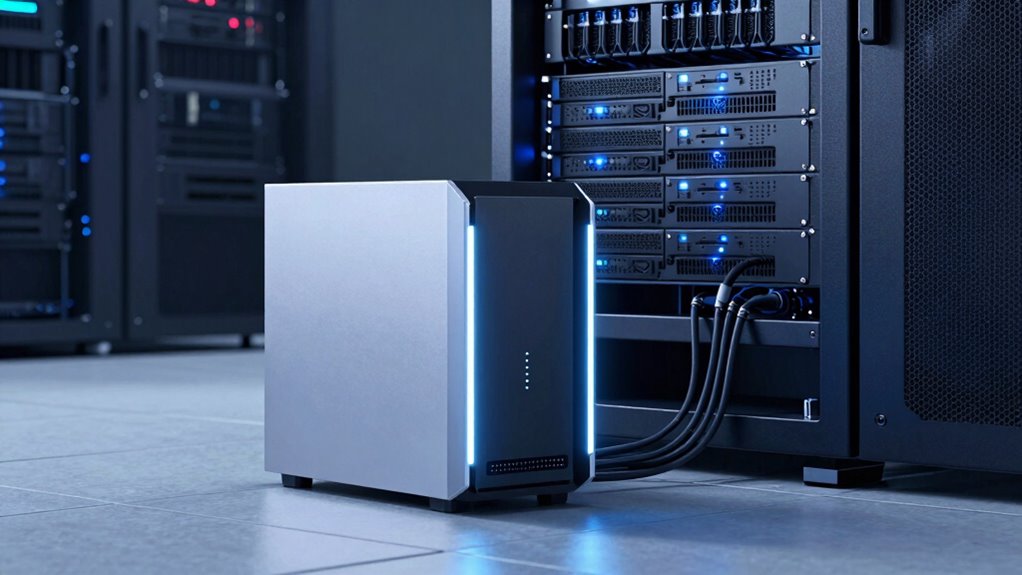

If you delay deciding between a NAS and a storage server, you risk falling into security gaps, performance issues, and mounting costs. A NAS offers simple setup and affordability for smaller needs, while a storage server provides scalability and robust security for larger operations. Choosing too late can cause operational headaches and vulnerabilities. Stay ahead by understanding each option’s strengths—your future data management depends on it, and there’s more to uncover below.
Key Takeaways
- The decision between NAS and storage server depends on organizational size, data complexity, and security needs.
- NAS offers simplicity and cost-effectiveness for small teams, while storage servers provide scalability for larger organizations.
- Security features vary: NAS has basic security, whereas storage servers support enterprise-grade access controls.
- Backup and redundancy options are more comprehensive on storage servers, ensuring better data protection.
- Timely decision-making prevents vulnerabilities and operational inefficiencies in data management strategies.

When choosing between a NAS (Network-Attached Storage) device and a storage server, understanding their differences can help you make an informed decision for your data needs. Both options serve as centralized storage solutions, but they cater to different levels of complexity, scalability, and control. A NAS is typically a streamlined device designed for ease of use, often appealing to small businesses or home users. It usually offers straightforward setup, simple management, and built-in features like cloud integration, allowing you to back up and access files remotely with minimal effort. In contrast, a storage server provides a more robust and customizable environment. It’s suitable for larger organizations or those with demanding data requirements, offering greater flexibility, advanced data security options, and the ability to scale storage capacity as your needs grow.
Data security is a critical consideration, and both solutions handle it differently. NAS devices generally include basic security features such as user authentication, encryption, and regular firmware updates. However, because they are often more accessible and designed for user-friendly operation, they can be more vulnerable if not properly secured. On the other hand, storage servers are built with enterprise-grade security measures in mind. They support complex access controls, detailed audit logs, and often integrate with existing security infrastructures like Active Directory. This makes them better suited for environments where data protection is paramount. Additionally, storage servers tend to offer more options for data redundancy and backup strategies, ensuring your information remains safe even in the event of hardware failure. Incorporating security protocols is essential for protecting sensitive data across both solutions. Considering the security features offered by each setup can significantly influence your overall data safety strategy. Furthermore, selecting a solution with comprehensive security management capabilities can help streamline your security oversight. When evaluating these options, it’s also important to consider the cost of maintenance, as ongoing expenses can vary considerably.
Storage servers offer enterprise-grade security with advanced access controls and comprehensive backup options, ensuring maximum data protection.
Cloud integration is another key factor that influences your choice. Many NAS devices come with built-in cloud sync features, allowing you to seamlessly connect to cloud services like Dropbox, Google Drive, or proprietary solutions. This integration simplifies remote access and data sharing, especially if you’re managing a small team or personal projects. Storage servers, however, often provide more sophisticated cloud connectivity options, including hybrid cloud setups and dedicated backup solutions that enhance disaster recovery plans. They enable larger-scale data management and facilitate more advanced workflows, which can be crucial for enterprise environments. Furthermore, choosing the right solution can also impact your cost-effectiveness, as NAS devices generally require a lower initial investment and lower ongoing maintenance costs.
Ultimately, your decision hinges on your specific needs—whether you prioritize simplicity, cost-effectiveness, and ease of use with a NAS, or require the advanced capabilities, scalability, and security features of a storage server. Both have their merits, but understanding how they differ in terms of cloud integration and data security helps you choose the right solution. It’s a choice that, if delayed, can lead to inefficiencies and potential vulnerabilities in your data management strategy.

BUFFALO LinkStation 210 2TB 1-Bay NAS Network Attached Storage with HDD Hard Drives Included NAS Storage that Works as Home Cloud or Network Storage Device for Home
- Centralized Storage with RAID: RAID-enabled NAS for backup and storage
- Easy Network Connection: Connect to router for shared device access
- Compatible with Windows and macOS: Works with Windows and older macOS versions
As an affiliate, we earn on qualifying purchases.
As an affiliate, we earn on qualifying purchases.
Frequently Asked Questions
How Do Cost Differences Impact Long-Term Storage Decisions?
Your long-term storage decisions are heavily influenced by cost differences. Conducting a thorough cost analysis helps you understand initial expenses versus ongoing maintenance. Storage servers might require higher upfront investment but can reduce long-term costs with scalability and durability. Conversely, NAS devices often have lower initial costs but could lead to higher expenses over time. Proper budget planning guarantees you select a solution that balances upfront costs with future needs.
Can NAS and Storage Servers Be Combined Effectively?
You can effectively combine NAS and storage servers, especially as 80% of businesses now seek seamless cloud integration. This setup enhances data redundancy, ensuring your data stays protected even if one system faces issues. By integrating both, you get the scalability of storage servers with the accessibility of NAS, creating a robust, flexible storage environment tailored to your needs, all while improving disaster recovery and data management.
What Are the Security Risks Associated With Each?
You face security risks with both NAS and storage servers. Encryption vulnerabilities can expose your data if not properly implemented or updated. Poor access control may allow unauthorized users to access sensitive information or modify files. Regularly updating your encryption protocols and enforcing strict access controls help mitigate these risks. Staying vigilant and proactive guarantees your data remains protected, regardless of whether you use NAS, storage servers, or both.
How Does Scalability Vary Between NAS and Storage Servers?
Your scalability needs explode with storage servers—think endless expansion—while NAS devices are more like a cozy, limited apartment. With storage servers, you can handle skyrocketing file sharing demands easily, thanks to flexible network protocols and modular hardware. NAS offers simpler, less scalable solutions suited for small-to-medium needs. So, if you anticipate rapid growth, storage servers let you scale up effortlessly, unlike the more restrained NAS options.
Which Option Offers Better Data Recovery Options?
You’ll find that storage servers generally offer better data recovery options due to advanced recovery options and data redundancy features. They often include RAID configurations, snapshots, and backup integrations, enabling you to recover data quickly after failures. NAS devices also provide data redundancy, but storage servers typically deliver more extensive recovery options, making them a preferred choice if your priority is robust data protection and minimal downtime during recovery.

Hewlett Packard Enterprise ProLiant MicroServer Gen11 Tower Server, Intel Pentium Gold G7400 Processor, 16GB Memory, 1TB HDD Storage, External 180W US Power Supply (HPE Smart Choice P74439-005)
- Model Number: P74439-005
- Processor: Intel Pentium Gold G7400 3.7GHz
- Memory: 16GB DDR5 UDIMM (expandable to 128GB)
As an affiliate, we earn on qualifying purchases.
As an affiliate, we earn on qualifying purchases.
Conclusion
So, after all this, you might think choosing between NAS and a storage server is straightforward. But isn’t it ironic? The very question teams often answer too late, risking data chaos or costly delays. Sometimes, the simplest choice isn’t obvious until it’s painfully obvious. So, don’t wait until disaster strikes—decide wisely now, or you might find yourself wishing you’d known sooner that the real difference was in how much trouble you’re willing to avoid.
BUFFALO LinkStation 210 2TB 1-Bay NAS Network Attached Storage with HDD Hard Drives Included NAS Storage that Works as Home Cloud or Network Storage Device for Home
- Centralized Storage with RAID: RAID-enabled NAS for backup and storage
- Easy Network Connection: Connect to router for shared device access
- Compatible with Windows and macOS: Works with Windows and older macOS versions
As an affiliate, we earn on qualifying purchases.
As an affiliate, we earn on qualifying purchases.

BUFFALO LinkStation SoHo 220 2-Bay Personal Cloud Office NAS 4TB (2x2TB) with Hard Drives Included
- Secure personal cloud with RAID: Fast connectivity and data protection
- Easy network sharing: Connects to router for device access
- Cross-platform compatibility: Works with Windows and macOS
As an affiliate, we earn on qualifying purchases.
As an affiliate, we earn on qualifying purchases.