Expanding batteries is often more cost-effective and flexible than buying a bigger UPS because it allows you to adjust backup capacity gradually as your needs change. Adding batteries is usually cheaper, easier, and can often be a DIY task, saving you money. It preserves your existing system, helping you avoid oversized capacity that wastes energy and money. Want to discover how this approach can best fit your needs? Stay tuned for more insights.

Get business pricing on networking and server gear
- Business-only prices and quantity discounts
- Tax-exempt purchasing
- Multiple users, one account, clear invoices
Key Takeaways
- Battery expansion is more cost-effective and allows incremental capacity increases, avoiding the high upfront cost of a larger UPS.
- It offers greater flexibility to match backup duration precisely to current power needs.
- Expanding batteries preserves existing infrastructure, reducing the need for complete system replacements.
- Proper maintenance of batteries extends their lifespan and ensures reliable backup performance.
- Scaling with batteries enhances system adaptability to future power demand changes without overcapacity.
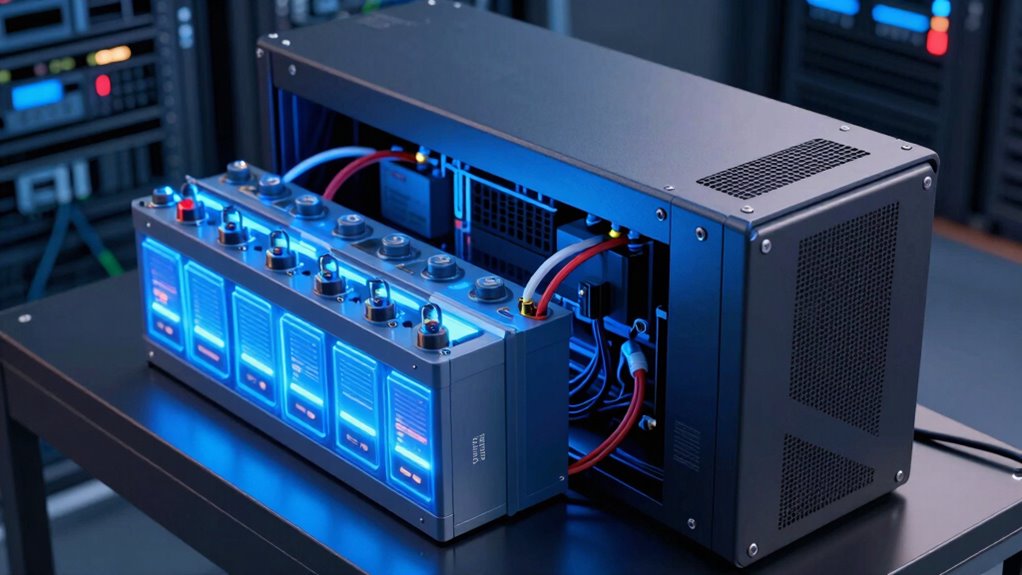
When choosing backup power solutions, you might wonder whether expanding your existing battery capacity or upgrading to a larger UPS unit is the better option. In many cases, expanding your current battery setup offers a smarter, more flexible approach. Batteries have a finite lifespan, but with proper maintenance and timely upgrades, they can serve you well for several years. By adding more batteries to your existing UPS, you extend its runtime without the need to replace the entire unit. This approach often proves more cost-effective in the long run because you’re only investing in additional batteries rather than a whole new UPS system. Plus, upgrading batteries allows you to tailor your backup capacity to your current needs, which is especially helpful if your power requirements fluctuate over time.
Choosing battery expansion also benefits your budget because it minimizes the upfront investment. A larger UPS unit generally comes with a hefty price tag, including not just the cost of the hardware but also installation and potential modifications to your power setup. In contrast, adding batteries can be a straightforward process, sometimes even DIY if you’re comfortable with electrical work, significantly reducing installation costs. Moreover, this method offers scalability—if your power needs increase again in the future, you can keep adding batteries without replacing the entire system. This flexibility enhances the overall cost effectiveness of your backup solution, making it easier to manage your budget over time.
Another advantage of battery expansion is the ability to optimize your system’s performance. When you upgrade to a bigger UPS, you often end up with more capacity than you currently need, which can be inefficient. On the other hand, expanding batteries allows you to precisely match your backup duration with your actual requirements, avoiding unnecessary energy consumption and wear on the system. It also helps preserve your existing UPS’s battery lifespan because you’re not pushing the entire unit beyond its designed capabilities; instead, you’re simply increasing capacity gradually. Understanding the lifespan of batteries can help you plan timely replacements and maintenance to keep your system reliable. Additionally, considering the scalability of backup systems can further enhance your ability to adapt your setup as your needs evolve. Being aware of the battery maintenance required can also ensure your system remains dependable over time.
Furthermore, researching the battery technology used in your setup can contribute to more efficient and longer-lasting backup power. Knowing the performance characteristics of different battery types can help you select the most suitable options for your needs. Ultimately, battery expansion can be a strategic choice that balances cost effectiveness, system longevity, and flexibility. It lets you enhance your backup power without overhauling your entire setup or rushing into a larger, more expensive UPS. As long as your current UPS is in good condition and compatible with additional batteries, this approach keeps your system scalable, affordable, and reliable—making it a smart choice over immediately opting for a bigger UPS.
As an affiliate, we earn on qualifying purchases.
Frequently Asked Questions
Is Battery Expansion Cost-Effective Compared to Purchasing a Larger UPS?
Battery expansion is often more cost-effective than buying a larger UPS because it boosts your existing power capacity without replacing the entire system. You can extend your battery lifespan, ensuring reliable backup during outages. This approach allows you to scale up incrementally, saving money while maintaining essential power needs. Plus, upgrading batteries is usually less expensive than investing in a bigger, more powerful UPS, making it a smart, budget-friendly choice.
How Does Battery Expansion Affect UPS Warranty and Service Agreements?
Expanding your UPS battery can impact warranty coverage and battery lifespan. Usually, warranties cover the original UPS but may not extend fully to added batteries, so check your warranty terms. Battery lifespan can vary based on usage and maintenance, but proper expansion guarantees reliable backup power. Be aware that some service agreements might require specific battery brands or configurations to keep coverage valid, so consult your manufacturer or provider before expanding.
Can Battery Expansion Improve Backup Time Without Upgrading the Entire UPS?
Think of your UPS as a marathon runner—adding batteries is like giving it extra fuel to keep going longer. Battery expansion can *substantially* improve backup time without replacing the entire unit, as it boosts capacity. However, remember that battery lifespan and charging cycles matter; over time, batteries wear out, reducing effectiveness. Regular maintenance and timely replacements ensure your expanded setup continues to perform when you need it most.
Are There Compatibility Issues With Different UPS Brands and Battery Expansions?
You might face compatibility issues with different UPS brands and battery expansions because of brand compatibility and expansion limitations. Many UPS manufacturers design their systems to work best with specific batteries, and mixing brands can lead to malfunction or reduced performance. To avoid problems, always check your UPS’s expansion limitations and choose batteries recommended by the manufacturer. This guarantees reliable backup power and maximizes your investment.
What Are the Safety Considerations When Expanding UPS Batteries?
Think of expanding UPS batteries like adding new chapters to a book—you need to handle each carefully. Always prioritize safety protocols, such as wearing protective gear and disconnecting power before work. Be aware of battery chemistry, as different types (like lithium-ion or lead-acid) have unique risks. Proper ventilation and correct wiring are essential to prevent hazards. Following these safety steps guarantees your expansion remains a smooth, secure process.
As an affiliate, we earn on qualifying purchases.
Conclusion
Choosing battery expansion over a bigger UPS can save you money and space while enhancing your backup power. Did you know that upgrading your batteries can improve runtime by up to 50%, making your existing UPS more efficient? It’s a smart move that offers flexibility and cost-effectiveness, especially if you already have a reliable UPS. So, before you splurge on a larger unit, consider expanding your batteries—you might just get more power for less.
As an affiliate, we earn on qualifying purchases.
As an affiliate, we earn on qualifying purchases.
Halloween Picks
halloween
As an affiliate, we earn on qualifying purchases.