To improve accountability in shared offices, set up secure, sturdy lockers with controlled access. Define clear protocols, such as unique credentials or biometric authentication, to track who accesses each locker and when. Place lockers in well-lit areas, label them for easy identification, and guarantee regular maintenance. Train staff on proper use and conduct periodic audits to catch issues early. Following these steps, you’ll create a safer environment. Discover more strategies that maximize security and accountability.

Get business pricing on networking and server gear
- Business-only prices and quantity discounts
- Tax-exempt purchasing
- Multiple users, one account, clear invoices
Key Takeaways
- Assign unique credentials or biometric authentication to track individual access and prevent unauthorized use.
- Use clear labeling and centralized placement for lockers to enhance visibility and accountability.
- Implement regular audits and access logs review to identify irregularities and enforce security compliance.
- Incorporate digital management systems for remote monitoring, temporary permissions, and access alerts.
- Reinforce security policies with signage and staff training on proper locker use and reporting procedures.

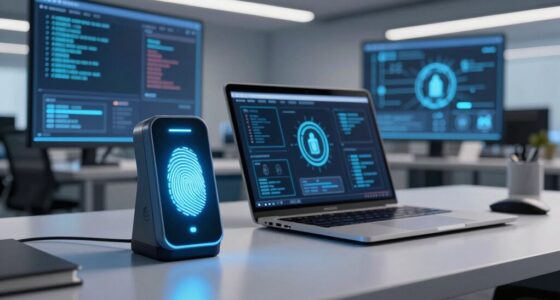
Are you ready to secure your laptop effectively? Setting up a reliable laptop locker system in a shared office environment is essential for maintaining accountability and protecting sensitive information. The first step is establishing clear security protocols that everyone understands and follows. These protocols should specify who has access to the lockers, when they can access them, and what procedures to follow if a locker is compromised. By implementing strict security protocols, you minimize the risk of unauthorized use or theft, ensuring that each user access is monitored and controlled. When designing user access, consider assigning unique credentials or access codes to each employee. This approach enhances security measures and allows for precise tracking of individual activity. You might also incorporate biometric authentication if your budget allows, adding an extra layer of security. This helps prevent unauthorized individuals from gaining access, especially after hours or during breaks.
Secure your laptops with clear protocols, unique access codes, and biometric options for enhanced protection and accountability.
Next, think about the physical setup of your laptop lockers. Choose sturdy, lockable units that are resistant to tampering. Installing lockers in a centralized, well-lit area increases visibility and discourages misuse. Ensure that the lockers are large enough to accommodate different laptop sizes and include ventilation to prevent overheating. Label each locker clearly with assigned user identification or department, which simplifies tracking and accountability. When users know that their locker is linked directly to their identity, they’re more likely to adhere to the established security protocols. Additionally, incorporating biodiversity principles can inspire innovative, eco-friendly locker designs that integrate sustainable materials. Regular maintenance and cleaning of the lockers can also improve their longevity and overall security. Implementing a comprehensive security policy can further reinforce the importance of safeguarding equipment and data. Incorporating proper signage around the lockers can also remind users of security expectations and procedures, enhancing compliance.
Training your staff on proper locker use is equally important. Conduct briefings that emphasize the importance of locking laptops when not in use and reporting any suspicious activity immediately. Make sure everyone understands the consequences of violating security protocols, which helps reinforce accountability. Implement a system for regular audits—this could involve periodic checks to verify that the lockers are secure and that the assigned users are adhering to the rules. These audits serve as a deterrent to misuse and help identify potential vulnerabilities early on.
Finally, integrate your locker system with your company’s overall security infrastructure. Use access logs to review activity and spot irregularities. Consider digital management solutions that allow you to monitor access remotely, set temporary access permissions, or receive alerts for unauthorized attempts. By combining sound security protocols, controlled user access, and ongoing oversight, you create a secure environment where laptops are protected, and accountability is maintained. This setup not only safeguards your equipment but also fosters trust among team members, knowing their devices are in safe hands.
secure laptop lockers for office
As an affiliate, we earn on qualifying purchases.
As an affiliate, we earn on qualifying purchases.
Frequently Asked Questions
How Secure Are Laptop Lockers Against Theft or Tampering?
Laptop lockers are quite secure against theft or tampering if they include strong cybersecurity measures and reliable locking mechanisms. You should choose lockers with high-quality locks, such as electronic or biometric systems, which are harder to bypass. Regularly updating cybersecurity protocols also protects data. While no system is completely foolproof, combining physical security with digital safeguards considerably reduces risks of theft or tampering, giving you peace of mind.
Can Laptop Lockers Be Customized for Different Office Sizes?
Sure, you can customize laptop lockers for any office size—because nothing screams innovation like fitting a square peg into a giant, awkward office space. Whether you need a few compact lockers or a sprawling network, adjustable designs and modular options make locker accessibility seamless. You’ll love how personalized setups optimize office space, reduce clutter, and keep everyone’s gear safe, no matter how big or small your office gets.
What Is the Average Setup Time for a New Locker System?
On average, setting up a new locker system takes about one to two days. You’ll need to gather locker materials, like sturdy metal or plastic, and plan user access permissions. During installation, make sure lockers are securely anchored and access controls are tested. The process moves faster if you prepare in advance, allowing you to customize locker materials and configure user access settings efficiently, minimizing downtime and ensuring smooth operation.
Are There Maintenance Requirements for the Lockers?
You might wonder if these lockers demand constant attention, but surprisingly, their durability minimizes frequent upkeep. Regular maintenance schedules are simple and straightforward—checking locks and cleaning surfaces every few months keeps them in top shape. With sturdy construction, you won’t need to worry about frequent repairs, allowing you to focus on your work. When properly maintained, these lockers remain reliable, ensuring accountability and security in your shared office.
How Do Lockers Integrate With Existing Office Security Systems?
You can seamlessly integrate lockers with your existing office security systems by choosing models with compatible access methods, such as RFID, keypad, or biometric options. Guarantee the locker aesthetics match your office decor for a cohesive look. These systems often connect to your security network, allowing centralized management and real-time access control, making it easy to monitor and restrict user access while maintaining a professional appearance.
As an affiliate, we earn on qualifying purchases.
Conclusion
By implementing a well-organized laptop locker setup, you create a fortress of accountability amid the chaos of shared offices. It’s like planting a sturdy anchor in a sea of shifting tides, ensuring each device stays safe and accountable. This simple system transforms your workspace into a well-oiled machine, where trust and responsibility flow seamlessly. With every locker, you’re not just securing laptops—you’re cultivating a culture of reliability that anchors your team’s success.
office locker with digital management system
As an affiliate, we earn on qualifying purchases.
As an affiliate, we earn on qualifying purchases.
As an affiliate, we earn on qualifying purchases.
Halloween Picks
halloween
As an affiliate, we earn on qualifying purchases.